The JLab Go Work Gen 2 Wireless Headset with Microphone – Bluetooth & USB Dongle review focuses on a work headset built around flexible connections, a boom microphone, and a long stated battery runtime.
Its mix of Bluetooth, a USB dongle, and wired USB-C makes it worth considering for people who move between computers and mobile devices.
JLab Go Work Review Summary
The quick verdict
3,000+ ratings
Read Amazon ReviewsJLab Go Work Gen 2
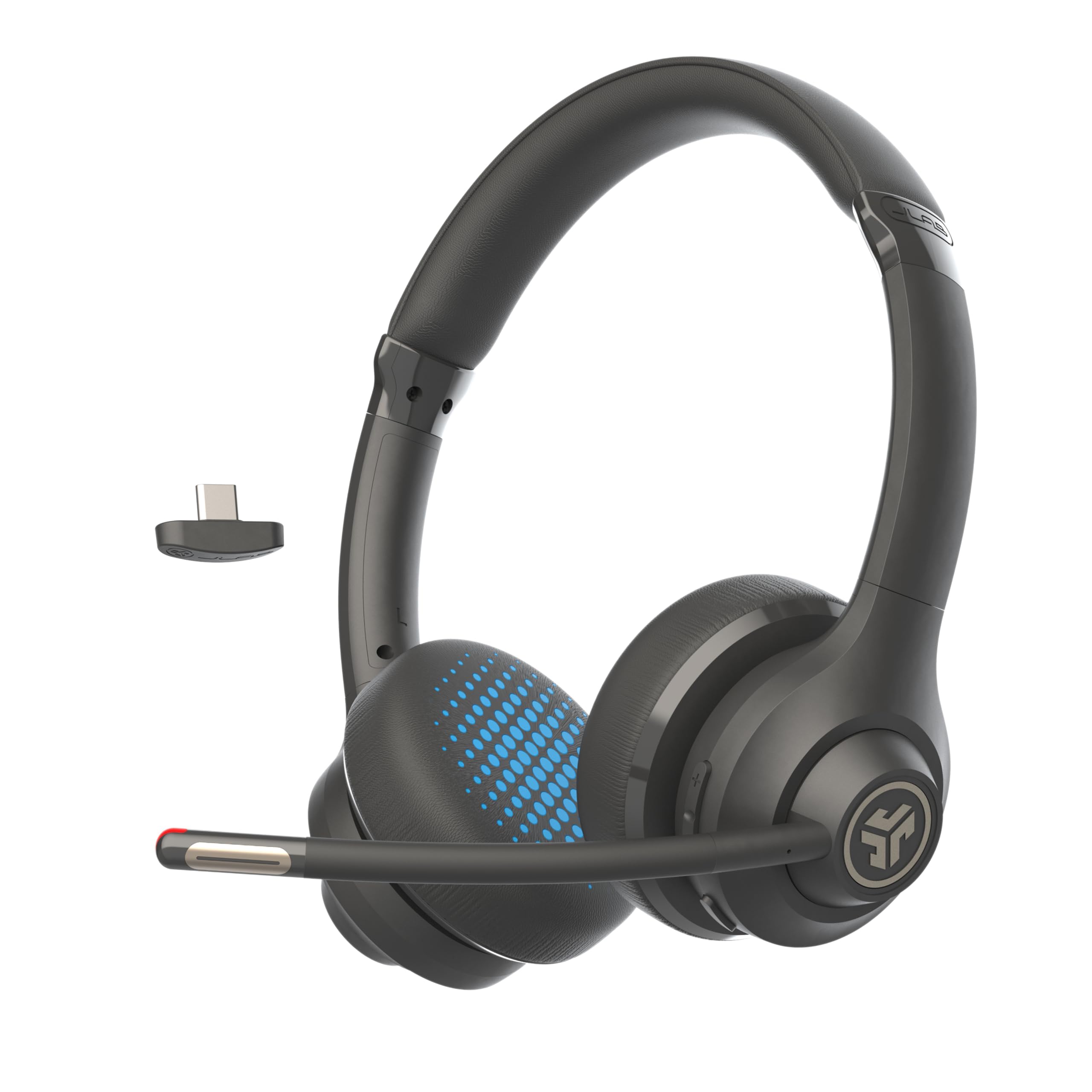
A practical fit for remote workers who want long claimed battery life, multipoint connections, and a boom mic that flips up to mute.
- JLab lists more than 55 hours of battery life and USB-C recharging.
- EQ2 provides separate voice and music modes.
- C3 Calling uses dual microphones to capture voice while actively canceling environmental background noise.
- Cloud foam earcups are designed for cushioning during extended work sessions.

Pros
- Multiple connection options can suit a desk setup that includes a computer and phone.
- The flip-up mute control and red indicator make the microphone's mute position easy to check.
Consider before buying
- The over-ear design and boom mic may feel more work-focused than a compact headset for travel or casual listening.
- The available connection modes add flexibility, but buyers should check which method works best with their specific meeting device and setup.
Read the full review summary
The Go Work Gen 2 is designed for long work sessions, with cloud foam earcups, a flip-to-mute boom mic, and two EQ modes for calls or music.
JLab lists more than 55 hours of battery life and USB-C recharging, which could reduce charging interruptions for a busy work week, though actual runtime will depend on use.
Connection choice is a central benefit: Bluetooth multipoint can connect two devices simultaneously, and the headset can also connect through its USB dongle or a wired USB-C connection.
It is compatible with PC, Mac, Microsoft Teams, and mobile devices, making it a practical option for people who want one headset for meetings and everyday listening.
The buying factors
JLab Go Work Scorecard
Editorial scores reflect listed features and buyer fit; they are not laboratory measurements or customer ratings.
Connection flexibility
Bluetooth multipoint, a USB dongle, and wired USB-C cover several common work setups.
Call controls
The boom mic flips up to mute, with a visible red LED indicator.
Battery potential
A claimed runtime of more than 55 hours is appealing for users who want fewer charging breaks.
Comfort features
Cloud foam earcups are intended to cushion the ears during long sessions.
Audio mode options
Voice and music EQ modes offer a straightforward way to switch listening priorities.
Workday fit
The feature mix is tailored to calls and device switching, with a two-year warranty listed.
Key Features and Specifications of JLab Go Work
- JLab lists more than 55 hours of battery life and USB-C recharging.
- EQ2 provides separate voice and music modes.
- C3 Calling uses dual microphones to capture voice while actively canceling environmental background noise.
- Cloud foam earcups are designed for cushioning during extended work sessions.
- Bluetooth multipoint supports simultaneous connection to two devices; USB dongle and wired USB-C connections are also supported.
- The boom mic flips up to mute, with a visible red LED indicator.
- Compatibility includes PC, Mac, Microsoft Teams, and mobile devices; the product is backed by a two-year JLab warranty.
Pros and Cons of JLab Go Work
Pros
- Multiple connection options can suit a desk setup that includes a computer and phone.
- The flip-up mute control and red indicator make the microphone's mute position easy to check.
- Long listed battery life may help reduce the need for frequent charging.
- Separate voice and music EQ modes suit a headset used for both meetings and listening.
Consider before buying
- The over-ear design and boom mic may feel more work-focused than a compact headset for travel or casual listening.
- The available connection modes add flexibility, but buyers should check which method works best with their specific meeting device and setup.
- Battery life is a stated maximum; frequent calls, listening volume, and connection choices can affect how often recharging is needed.
Who Should Buy JLab Go Work?
Good fit
Consider the JLab Go Work Gen 2 if you regularly switch between computer calls and a phone, or want a headset that can connect by Bluetooth, USB dongle, or USB-C cable.
Multipoint Bluetooth is useful when two devices need to stay connected at once, while the wired option gives you another way to use it at a desk.
It also makes sense for people who take many calls and value a physical boom mic with a flip-up mute position.
The earcups are designed for longer wear, and the two EQ modes make the headset more adaptable to calls and music without requiring a complicated feature set.
Before buying, check that your preferred device supports the connection method you plan to use. If you rely on the dongle for meetings, confirm that your computer has a suitable port or adapter available.
Who should skip it
Look elsewhere if you specifically need a small, low-profile headset for commuting or want a design without an over-ear fit and boom microphone.
If your priority is a guaranteed runtime under your exact call schedule, treat the more-than-55-hour figure as an upper claim and plan around your own usage rather than assuming it will match every work pattern.
How the JLab Go Work Gen 2 Fits a Work Setup
Connection choices for a mixed-device desk
Bluetooth multipoint is intended to keep two devices connected simultaneously, while the USB dongle and wired USB-C provide additional ways to connect.
That range can be useful when calls move between a computer and mobile device, but buyers should decide which connection they will use most and ensure their hardware supports it.
A boom mic with a visible mute cue
The flip-to-mute boom mic offers a physical way to mute, and its red LED provides a visible cue.
Dual microphones are described as capturing voice while actively canceling environmental background noise, a design aimed at clearer calls; room conditions and microphone placement will still shape the experience.
Battery and comfort for longer sessions
The headset is listed with more than 55 hours of battery life and USB-C recharging, along with cloud foam earcups intended for extended wear.
These features suit a workday-focused design, but comfort is personal, and actual battery runtime can vary with the way the headset is used.
Switching between calls and listening
Voice and music EQ modes let users change the headset's tuning focus depending on whether they are on a call or listening.
This is a practical convenience for a device that may serve both tasks, while buyers who care about specific audio preferences should consider whether two preset modes are enough for their routine.
Alternatives to JLab Go Work
No alternative model is recommended here. Compare the connection options, microphone controls, and fit that matter to your routine before choosing another headset.
Is JLab Go Work Worth It?
The JLab Go Work Gen 2 is worth considering as a flexible work headset for users who want a boom mic, multiple connection methods, and design features aimed at long sessions.
Its combination of Bluetooth multipoint, dongle, and wired USB-C use is the clearest reason to shortlist it.
Buy if those work-focused controls and connection choices match your setup, and confirm the connection method you plan to use.
Keep the stated battery maximum and the personal nature of over-ear comfort in mind when weighing it against other headsets.
Your review at a glance
3,000+ ratings
Read Amazon ReviewsJLab Go Work Gen 2
A practical fit for remote workers who want long claimed battery life, multipoint connections, and a boom mic that flips up to mute.
- JLab lists more than 55 hours of battery life and USB-C recharging.
- EQ2 provides separate voice and music modes.
- C3 Calling uses dual microphones to capture voice while actively canceling environmental background noise.
- Cloud foam earcups are designed for cushioning during extended work sessions.