The SABRENT Dual-Bay USB-C 10Gbps M.2 NVMe SSD Cloner Dock (EC-SSD2) combines two-drive access with offline cloning in a compact, tool-free design.
Its appeal is strongest for people who regularly handle compatible PCIe NVMe modules and want a direct way to read, write, or copy them.
SABRENT EC-SSD2 Review Summary
The quick verdict
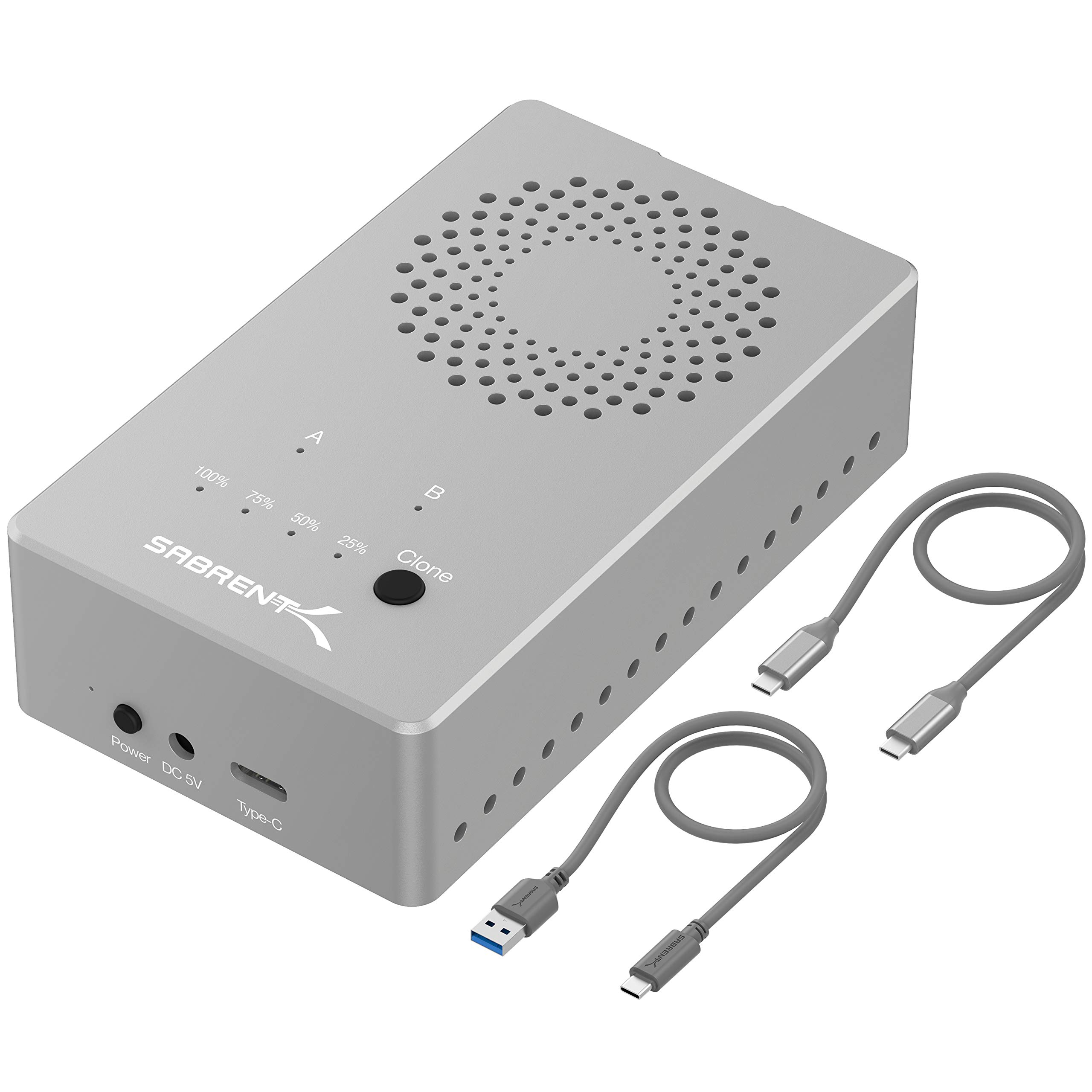
17,000+ ratings
Read Amazon ReviewsSABRENT EC-SSD2 NVMe SSD Cloner Dock
A practical fit for technicians and PC owners who need to access or clone compatible M.2 NVMe drives without installing them inside a computer.
- Two M.2 slots support reading from and writing to both SSDs simultaneously.
- Offline cloning allows compatible drives to be copied without connecting the dock to a computer.
- USB 3.2 supports data transmission speeds up to 10Gbps, with backward compatibility for USB 3.1 and USB 3.0 at their respective limits.
- Supports M.2 NVMe drive lengths of 2230, 2242, 2260, and 2280.

Pros
- Combines two-drive access and offline cloning in one dock.
- Tool-free installation and a quick-release lid help make regular drive changes convenient.
Consider before buying
- Does not support M.2 SATA or AHCI SSDs, so buyers must verify that their modules use PCIe NVMe.
- The 10Gbps maximum depends on a compatible host and connection; older USB ports operate at their lower respective limits.
Read the full review summary
This dock gives you two M.2 NVMe slots, USB-C connectivity, and a standalone cloning mode. The tool-free quick-release lid makes drive swaps simpler, while the aluminum enclosure and built-in fan are designed to help manage heat during use.
It supports common M.2 lengths from 2230 through 2280, making it suitable for many laptop and desktop NVMe modules.
The key decision is compatibility: the EC-SSD2 is for PCIe NVMe M.2 drives and does not support M.2 SATA or AHCI drives.
Its USB 3.2 connection supports transfer rates up to 10Gbps when paired with a compatible host, while offline cloning offers a computer-free copying option.
Buyers should confirm their source and destination are NVMe drives and consider whether their workflow needs two-slot access or cloning.
The buying factors
SABRENT EC-SSD2 Scorecard
Editorial scores reflect listed features and buyer fit; they are not laboratory measurements or customer ratings.
NVMe compatibility focus
Supports four common M.2 lengths, but its use is limited to PCIe NVMe rather than M.2 SATA or AHCI.
Two-drive workflow
The dock can read from and write to both installed SSDs simultaneously, giving it useful flexibility for drive-to-drive work.
Offline cloning
A computer-free cloning mode is included, which can simplify direct drive copying when the drives and task are suitable.
Connection speed potential
USB 3.2 supports up to 10Gbps, with backward compatibility at the applicable USB 3.1 and USB 3.0 speed limits.
Drive swapping
The quick-release lid and tool-free design make installing and removing drives straightforward.
Thermal design
Aluminum construction and a built-in cooling fan are intended to dissipate heat and help limit heat-related throttling.
Key Features and Specifications of SABRENT EC-SSD2
- Two M.2 slots support reading from and writing to both SSDs simultaneously.
- Offline cloning allows compatible drives to be copied without connecting the dock to a computer.
- USB 3.2 supports data transmission speeds up to 10Gbps, with backward compatibility for USB 3.1 and USB 3.0 at their respective limits.
- Supports M.2 NVMe drive lengths of 2230, 2242, 2260, and 2280.
- Uses a quick-release lid and tool-free drive installation.
- Aluminum construction and a built-in cooling fan are designed to aid heat dissipation.
Pros and Cons of SABRENT EC-SSD2
Pros
- Combines two-drive access and offline cloning in one dock.
- Tool-free installation and a quick-release lid help make regular drive changes convenient.
- Supports several common M.2 NVMe lengths.
- The USB-C connection offers up to 10Gbps support with a compatible host.
- Aluminum construction and active cooling address heat management during drive use.
Consider before buying
- Does not support M.2 SATA or AHCI SSDs, so buyers must verify that their modules use PCIe NVMe.
- The 10Gbps maximum depends on a compatible host and connection; older USB ports operate at their lower respective limits.
- Offline cloning requires compatible source and destination drives, so check the intended drive pairing and cloning direction before starting.
Who Should Buy SABRENT EC-SSD2?
Good fit
Consider the EC-SSD2 if you often work with M.2 NVMe drives and want one station for both computer-connected access and direct cloning.
It is especially relevant for PC repair, upgrades, migrations, or bench work where removing and reinstalling modules repeatedly would be inconvenient.
The two-slot layout is useful when you need both drives available at once, and standalone cloning can help when a computer is not part of the copying workflow.
Before buying, confirm both drives are PCIe NVMe and one of the supported lengths, and check that your computer has a USB connection capable of the transfer rate you expect.
Who should skip it
Choose another type of dock if your drives are M.2 SATA or AHCI, or if you mainly need to connect 2.5-inch or 3.5-inch SATA disks. This model is specifically designed for M.2 NVMe modules.
If your work only involves a single drive at a time and you do not need cloning, the dual-slot and standalone copy features may not justify choosing this design.
Match the dock to the drive formats and tasks you handle most often.
How the SABRENT EC-SSD2 Fits an NVMe Workflow
Two slots make drive-to-drive work more direct
With two drives installed, the dock can read from and write to both simultaneously. That suits workflows such as examining one module while preparing another or moving data between compatible drives.
It also means the unit can serve as a working dock when offline cloning is not the right option.
Offline cloning reduces dependence on a host computer
The standalone cloning function can copy one drive to another without a computer.
This is useful for direct migrations or repeatable bench tasks, but it should be treated as a drive-to-drive tool: check the source and target roles, and make sure the target is appropriate for the data being copied.
Host speed affects USB transfers
The USB 3.2 interface supports up to 10Gbps, while backward compatibility lets the dock connect through USB 3.1 or USB 3.0 at those standards' respective limits.
Buyers seeking the higher interface rate should confirm their host port and cable path support it; the maximum interface rate is not a promise of a particular drive's real-world transfer speed.
Cooling and fit matter for repeated use
The aluminum body and built-in fan are intended to disperse heat, a relevant design consideration when handling NVMe drives that can warm up during sustained activity.
The four supported module lengths cover many common M.2 sizes; checking the drive's interface and physical length before inserting it is the practical first step.
Alternatives to SABRENT EC-SSD2
Hard Drive Docking Stations alternative
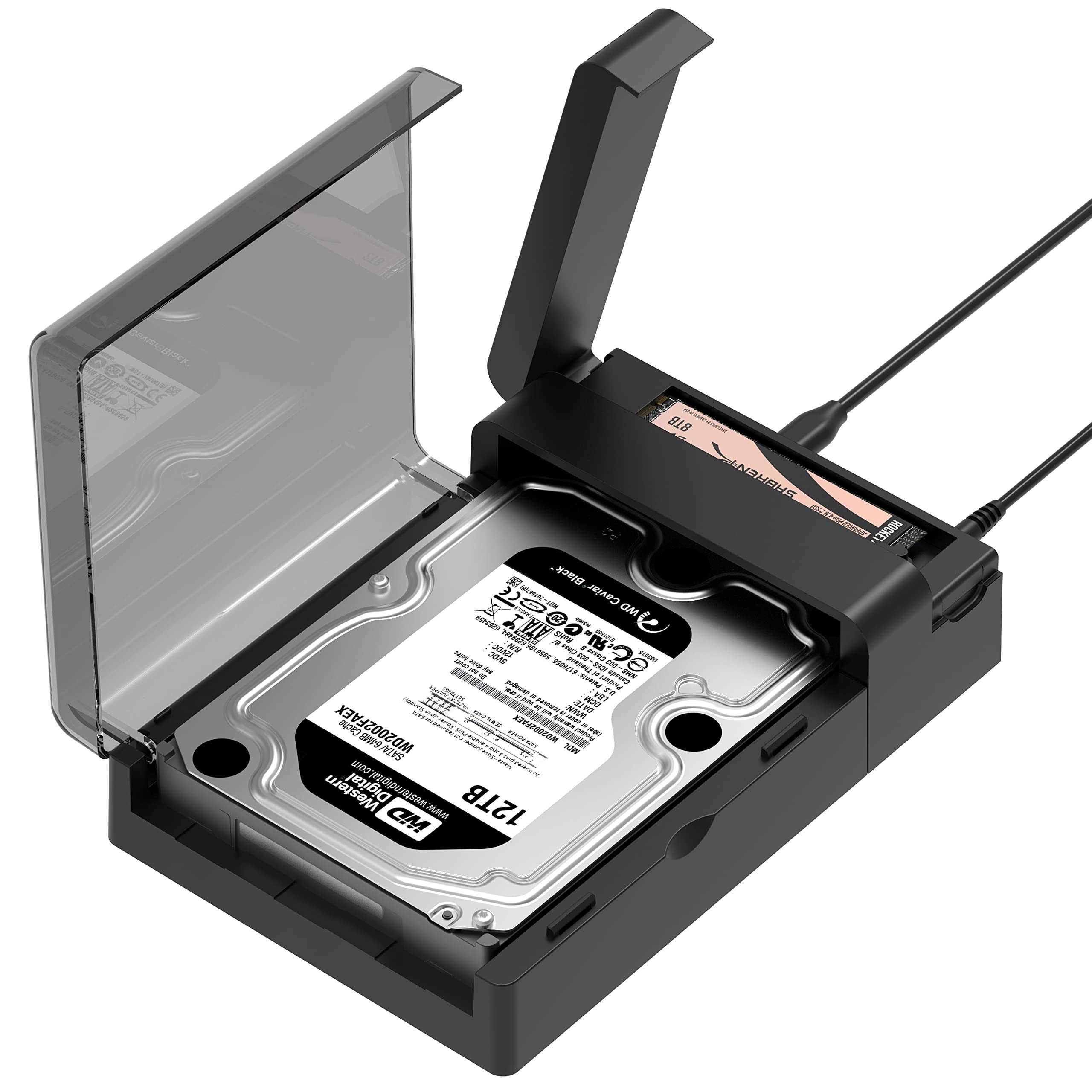
800+ ratings
Read Amazon ReviewsSABRENT DS-UFNC NVMe and SATA Lay-Flat Dock
Consider the DS-UFNC if you need one dock to handle both NVMe modules and standard SATA drives. The EC-SSD2 is the more focused option when your work centers on two M.2 NVMe drives.
- The DS-UFNC supports M.2 PCIe NVMe drives as well as 2.5-inch and 3.5-inch SATA drives, with an offline clone function and USB-C 10Gbps support.
- The EC-SSD2 provides two M.2 NVMe slots, supports up to 10Gbps over USB 3.2, and includes offline cloning.
Hard Drive Docking Stations alternative
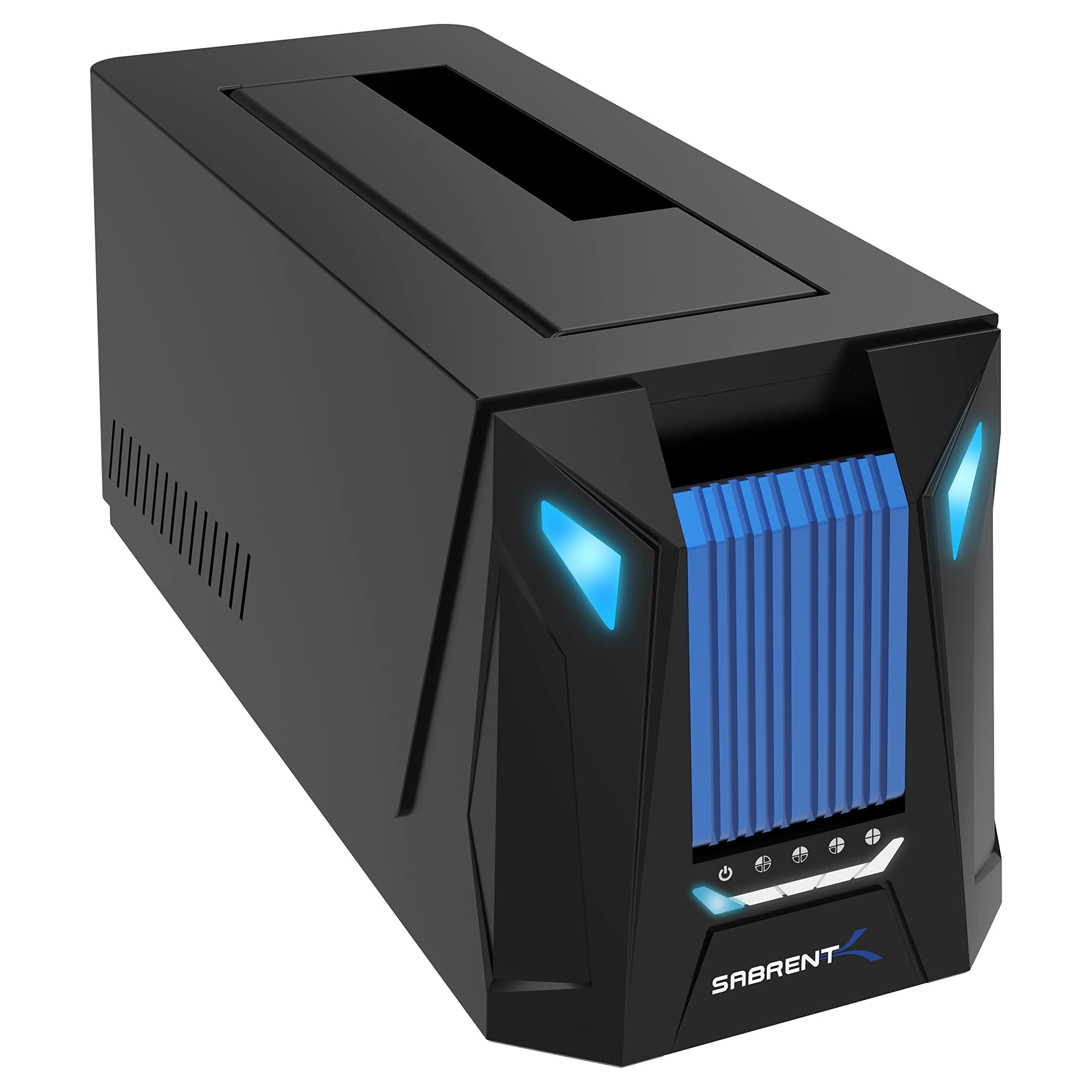
300+ ratings
Read Amazon ReviewsSABRENT DS-UNHC NVMe and SATA Dock
Choose the DS-UNHC if your work spans both M.2 NVMe and SATA storage formats and you want a single dock for them. For a dedicated NVMe-only station, the EC-SSD2 has the simpler, more specialized fit.
- The DS-UNHC supports M.2 PCIe NVMe and 2.5-inch or 3.5-inch SATA drives, including simultaneous use, and provides offline cloning.
- Its USB connection supports up to 10Gbps with a suitable host.
- The EC-SSD2 is focused on M.2 NVMe modules and offers two-drive access with offline cloning.
Is SABRENT EC-SSD2 Worth It?
The SABRENT EC-SSD2 is worth considering for anyone who regularly handles PCIe NVMe M.2 drives and values quick access to two modules plus offline cloning.
Its tool-free design, common length support, and up-to-10Gbps USB 3.2 interface give it a useful range for upgrades and bench work.
Buy it only after confirming your drives are NVMe rather than M.2 SATA or AHCI, and check that your host connection supports the transfer rate you need.
If your storage work also includes SATA disks, a mixed-format dock may suit you better.
Your review at a glance
17,000+ ratings
Read Amazon ReviewsSABRENT EC-SSD2 NVMe SSD Cloner Dock
A practical fit for technicians and PC owners who need to access or clone compatible M.2 NVMe drives without installing them inside a computer.
- Two M.2 slots support reading from and writing to both SSDs simultaneously.
- Offline cloning allows compatible drives to be copied without connecting the dock to a computer.
- USB 3.2 supports data transmission speeds up to 10Gbps, with backward compatibility for USB 3.1 and USB 3.0 at their respective limits.
- Supports M.2 NVMe drive lengths of 2230, 2242, 2260, and 2280.