The SABRENT USB 3.0 Hard Drive Enclosure review is for anyone who wants to connect a loose 2.5- or 3.5-inch SATA drive to a computer without installing it internally.
Its tool-free design suits drive swaps and occasional access, while the required wall power and SATA-only compatibility shape whether it fits your setup.
SABRENT Enclosure Review Summary
The quick verdict
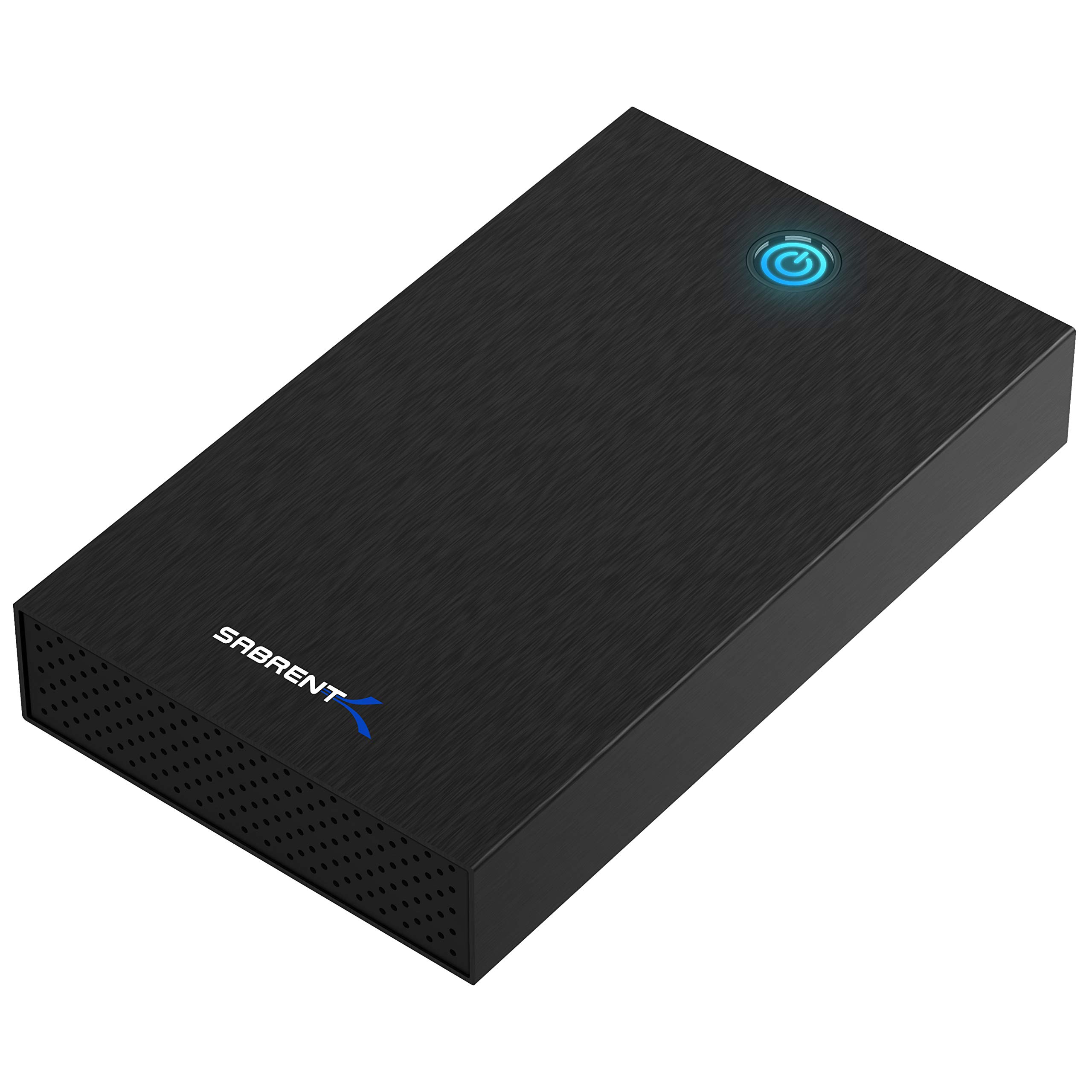
3,000+ ratings
Read Amazon ReviewsSABRENT USB 3.0 Hard Drive Enclosure
A practical tool-free enclosure for accessing 2.5- or 3.5-inch SATA drives from a computer with USB-A and a nearby power outlet.
- Accepts 2.5- and 3.5-inch SATA HDDs and SSDs; it does not support SAS, M.2 NVMe, M.2 SATA, NVMe PCIe, or IDE/PATA drives.
- Tool-free installation uses a slide-and-click design for inserting and changing drives.
- USB 3.0 USB-A host connection supports UASP. The description gives a theoretical maximum of 625 MB/s and typical ranges of 100–180 MB/s for HDDs and up to 400–500 MB/s for SSDs.
- Includes a 12V/2A AC adapter, so operation requires a wall outlet rather than USB bus power.

Pros
- Works with both 2.5- and 3.5-inch SATA drives in one enclosure.
- Tool-free access is convenient when changing drives or connecting one temporarily.
Consider before buying
- Requires a wall outlet, so it is less suitable for travel or use where power access is limited.
- The USB-A cable connection may require a separate adapter on a computer with only USB-C ports.
Read the full review summary
This enclosure turns a compatible SATA hard drive or SSD into an externally accessible drive. It accepts both 2.5- and 3.5-inch SATA drives, uses a USB-A connection with UASP support, and includes a 12V power adapter.
The tool-free slide-and-click setup can make it convenient for retrieving files from old drives, moving data, or temporarily connecting a spare drive.
It is most appropriate for people who already know their drive is SATA and want a simple, single-drive connection.
It works with Windows, macOS, and Linux without a driver installation, and its aluminum shell and internal shock-absorbing tray are practical design features.
Before buying, check the drive interface and physical dimensions, confirm you have USB-A or a suitable adapter, and make sure a wall outlet is available.
The buying factors
SABRENT Enclosure Scorecard
Editorial scores reflect listed features and buyer fit; they are not laboratory measurements or customer ratings.
Drive-format flexibility
Supports both 2.5- and 3.5-inch SATA HDDs and SSDs, covering common drive sizes while remaining limited to SATA.
Setup convenience
The tool-free slide-and-click design is intended for quick installation and drive changes.
Host connectivity
USB 3.0 with UASP and a USB-A connection is straightforward for compatible computers, but USB-C-only systems need an adapter.
Power flexibility
The included adapter supports the enclosure, but the need for an outlet makes it less convenient for mobile use.
Operating-system coverage
Plug-and-play support is listed for Windows, macOS, and Linux, with no drivers required.
Drive information access
The LED shows power and activity, but S.M.A.R.T. diagnostics are not accessible through the USB bridge.
Key Features and Specifications of SABRENT Enclosure
- Accepts 2.5- and 3.5-inch SATA HDDs and SSDs; it does not support SAS, M.2 NVMe, M.2 SATA, NVMe PCIe, or IDE/PATA drives.
- Tool-free installation uses a slide-and-click design for inserting and changing drives.
- USB 3.0 USB-A host connection supports UASP. The description gives a theoretical maximum of 625 MB/s and typical ranges of 100–180 MB/s for HDDs and up to 400–500 MB/s for SSDs.
- Includes a 12V/2A AC adapter, so operation requires a wall outlet rather than USB bus power.
- Aluminum shell and an internal ABS shock-absorbing tray form the enclosure’s physical design.
- Plug-and-play support is listed for Windows 10/11, macOS, and Linux; an LED indicates power and activity.
Pros and Cons of SABRENT Enclosure
Pros
- Works with both 2.5- and 3.5-inch SATA drives in one enclosure.
- Tool-free access is convenient when changing drives or connecting one temporarily.
- Includes the 12V adapter needed for a powered setup.
- Supports three major desktop operating systems without drivers.
- The aluminum shell and internal ABS tray provide a more structured enclosure than a bare drive connection.
Consider before buying
- Requires a wall outlet, so it is less suitable for travel or use where power access is limited.
- The USB-A cable connection may require a separate adapter on a computer with only USB-C ports.
- SATA-only compatibility excludes several other drive interfaces, including M.2 and IDE/PATA.
- S.M.A.R.T. diagnostics cannot be accessed through the USB bridge.
Who Should Buy SABRENT Enclosure?
Good fit
Consider it if you regularly retrieve files from, swap, or temporarily connect 2.5- or 3.5-inch SATA drives.
The tool-free setup keeps the process simple, and the included power adapter means you have the required external power for the enclosure.
It can also suit a home or repair bench where different compatible drives are connected to a computer over time.
Check the drive’s connector and dimensions before ordering; the description specifically cautions that some 4TB-or-larger 3.5-inch drives with nonstandard PCB height may not seat correctly.
For SSD use, the USB 3.0 connection and UASP support provide a suitable interface for transferring files, subject to the drive and host. The stated transfer figures are ceilings and typical ranges, not guaranteed results for every setup.
Who should skip it
Skip this enclosure if your drive is M.2, SAS, IDE/PATA, or another non-SATA type. Confirm the drive interface first; matching physical size alone is not enough.
It is also a poor fit if you need a bus-powered portable connection, have only USB-C ports and do not want to add an adapter, or rely on S.M.A.R.T. diagnostics through the USB connection.
How the SABRENT Enclosure fits a drive-access setup
Confirm the drive interface and fit
The enclosure’s 2.5- and 3.5-inch labels refer to SATA drives. They do not imply support for every drive with those dimensions: M.2, SAS, and IDE/PATA are excluded.
For a 3.5-inch drive of 4TB or greater, check its physical dimensions if the circuit-board height is nonstandard, since fit may be affected.
Plan for power and the host port
A 12V/2A adapter is included, and the enclosure requires wall power. That arrangement is relevant for larger desktop drives but means the setup has both a data cable and a power connection.
The host cable is USB-A, so a USB-C-only computer calls for a separately obtained USB-C-to-USB-A adapter.
Understand what transfer figures mean
USB 3.0 with UASP gives the enclosure a modern host connection for SATA storage, but the listed maximum is theoretical.
The provided typical ranges distinguish HDD and SSD use; actual transfers can vary with the drive, host connection, and files being moved. A suitable USB port and compatible host help avoid turning the enclosure into an unnecessary bottleneck.
Set expectations for drive monitoring
The LED indicates power and activity, which can help show whether the enclosure is on and working with a drive.
S.M.A.R.T. diagnostics are not accessible through its USB bridge, so buyers who depend on those drive-health details should check whether their monitoring workflow can work without them.
Alternatives to SABRENT Enclosure
Hard Drive Docking Stations alternative
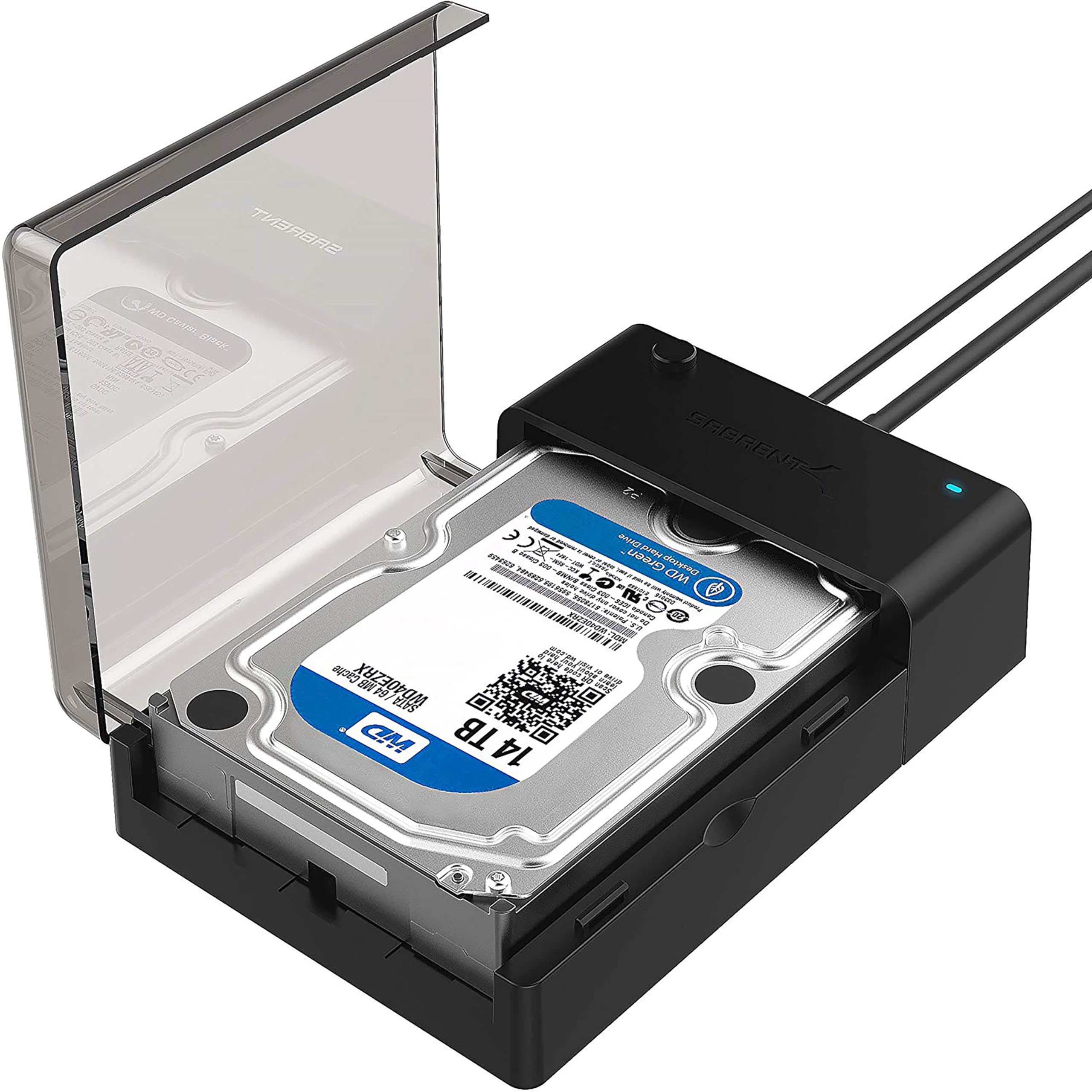
37,000+ ratings
Read Amazon ReviewsSABRENT USB 3.0 Lay-Flat SATA Dock
Choose the reviewed enclosure if you prefer a case around the drive for temporary external use.
Consider the lay-flat dock if quick top-access insertion and removal matter more than enclosing the drive; both remain SATA-only USB 3.0 options and require external power for 3.5-inch use.
- This lay-flat dock accepts 2.5- and 3.5-inch SATA drives, connects over USB 3.0 Type-A, supports UASP, and includes an AC adapter.
- It is designed for direct drive insertion rather than enclosing the drive.
- The reviewed enclosure surrounds one 2.5- or 3.5-inch SATA drive in an aluminum shell with an internal ABS tray and a tool-free slide-and-click fit.
Hard Drive Docking Stations alternative
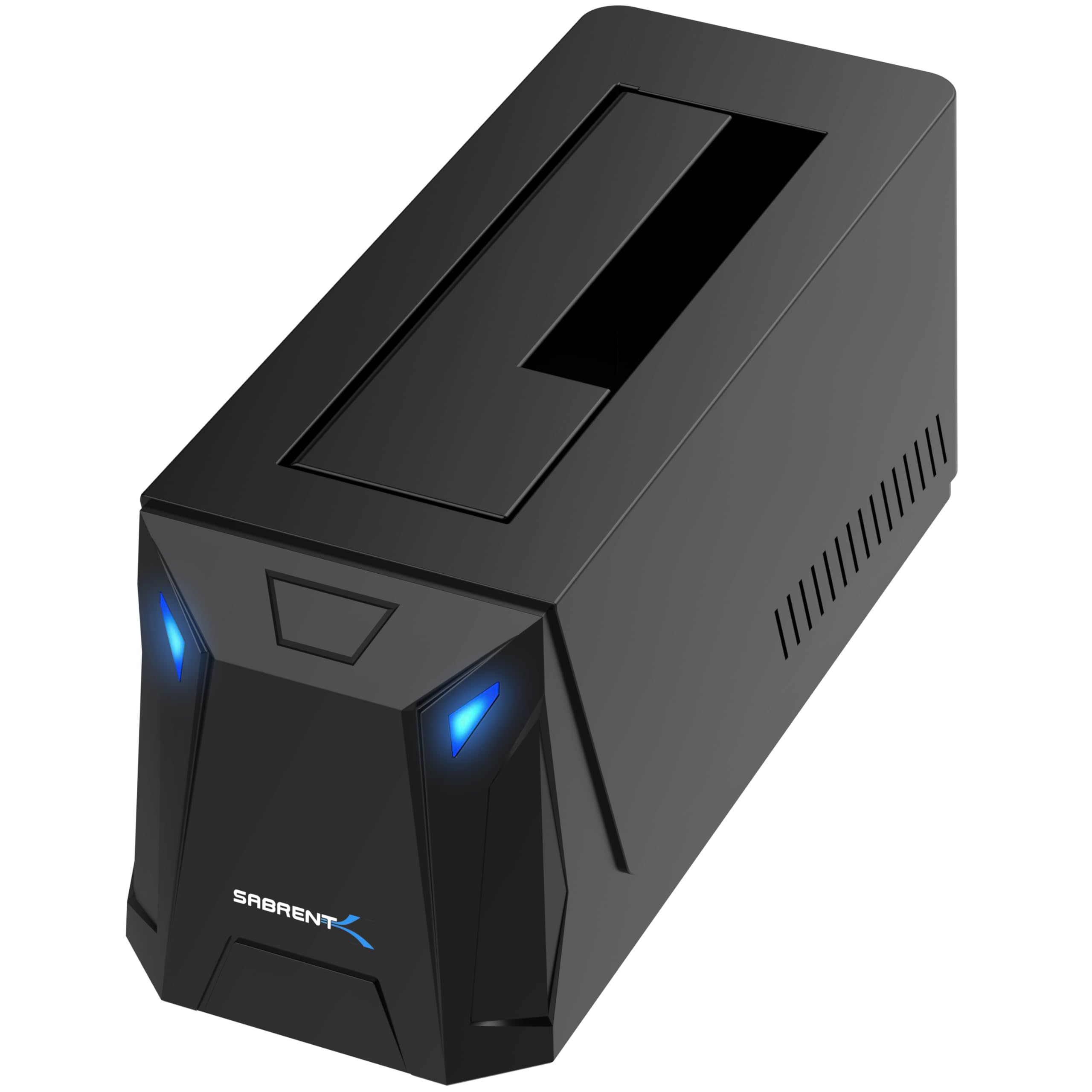
300+ ratings
Read Amazon ReviewsSABRENT USB-C SATA Docking Station (DS-UC1B)
Consider the USB-C dock if your computer has USB-C ports and you want a faster host interface with both cable types included.
The reviewed enclosure remains a straightforward fit for a USB-A setup; the USB-C model is also SATA-only, so it does not solve compatibility with M.2 or other excluded drive types.
- This docking station supports 2.5- and 3.5-inch SATA drives over USB-C at up to 10Gbps, includes both USB-A and USB-C host cables, and has an included power adapter.
- Its tool-less bay has a retractable dust cover.
- The reviewed enclosure connects through USB-A and supports 2.5- and 3.5-inch SATA drives, with a supplied 12V adapter and tool-free installation.
Is SABRENT Enclosure Worth It?
The SABRENT USB 3.0 Hard Drive Enclosure is worth considering for straightforward access to 2.5- or 3.5-inch SATA drives.
Its tool-free fit, included power adapter, and broad desktop OS support make it practical for a home or repair setup.
Buy it if SATA compatibility, USB-A access, and nearby wall power match your needs.
Check drive dimensions before ordering, especially for larger 3.5-inch models, and look elsewhere if you need bus power, USB-C connectivity without an adapter, or S.M.A.R.T. access through the bridge.
Your review at a glance
3,000+ ratings
Read Amazon ReviewsSABRENT USB 3.0 Hard Drive Enclosure
A practical tool-free enclosure for accessing 2.5- or 3.5-inch SATA drives from a computer with USB-A and a nearby power outlet.
- Accepts 2.5- and 3.5-inch SATA HDDs and SSDs; it does not support SAS, M.2 NVMe, M.2 SATA, NVMe PCIe, or IDE/PATA drives.
- Tool-free installation uses a slide-and-click design for inserting and changing drives.
- USB 3.0 USB-A host connection supports UASP. The description gives a theoretical maximum of 625 MB/s and typical ranges of 100–180 MB/s for HDDs and up to 400–500 MB/s for SSDs.
- Includes a 12V/2A AC adapter, so operation requires a wall outlet rather than USB bus power.