The SABRENT USB-C Hub review centers on a compact five-port adapter that combines a single HDMI display output, three USB-A ports, and USB-C power input.
It can simplify a laptop setup, provided the host USB-C port supports DisplayPort Alt Mode for video.
SABRENT HB-TC5P Review Summary
The quick verdict
188,000+ ratings
Read Amazon ReviewsSABRENT HB-TC5P USB-C Hub
A compact option for laptop users who need one external HDMI display, three USB-A connections, and USB-C pass-through charging.
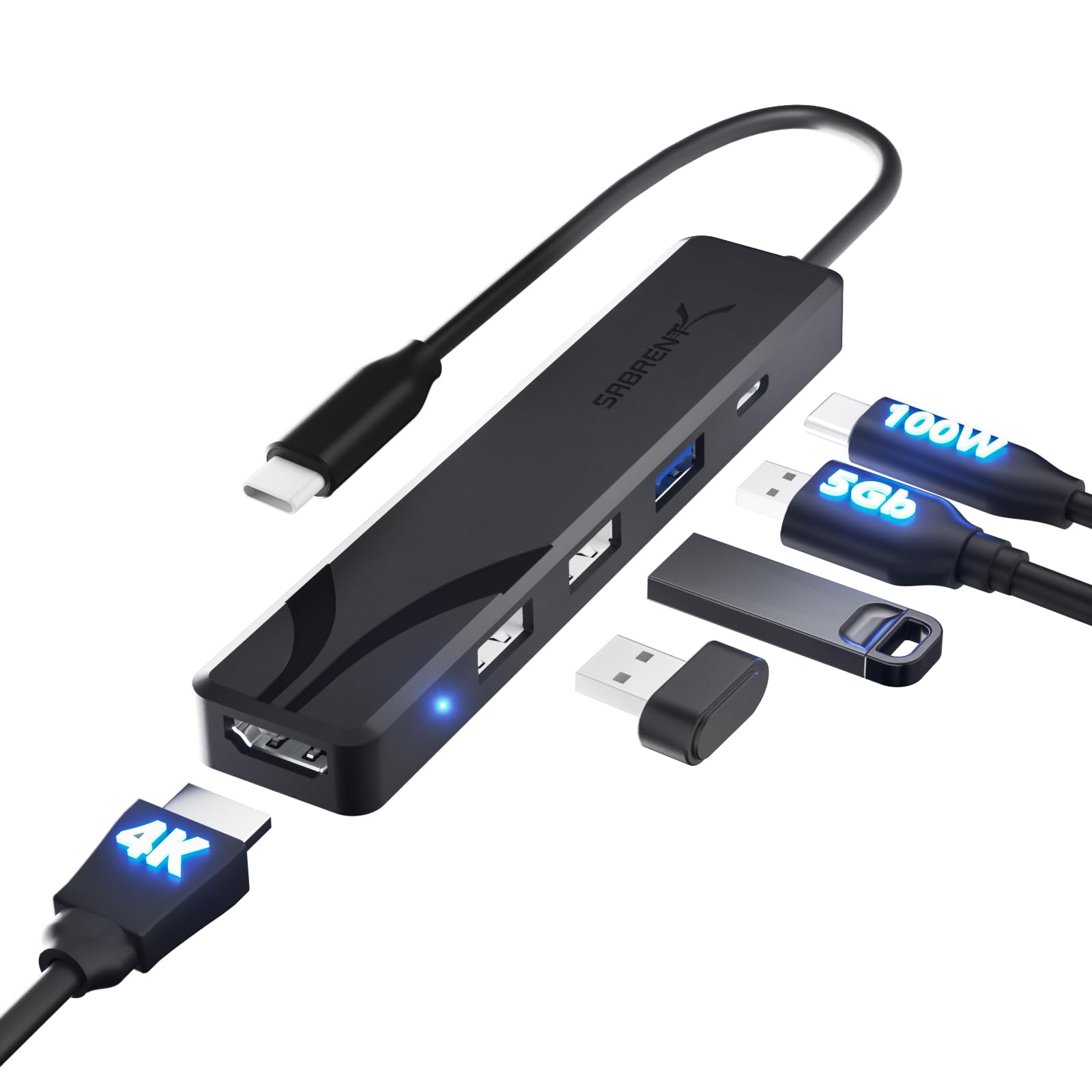
- Five connections from one USB-C host connection: one HDMI output, three USB-A ports, and one USB-C Power Delivery input.
- HDMI 2.0 supports a single external monitor, television, or projector at up to 4K resolution and 60Hz.
- USB-A speeds are split between one 5Gbps USB 3.0 port and two USB 2.0 ports rated at 480Mbps.
- The USB-C port is a power input for pass-through charging, supporting up to 100W input; the hub itself draws up to about 15W.

Pros
- Combines single-display HDMI, three USB-A ports, and charging input in a compact adapter.
- Supports up to 4K at 60Hz for a compatible monitor and host.
Consider before buying
- HDMI video depends on DisplayPort Alt Mode support on the computer's USB-C port, so buyers need to check host compatibility.
- The two USB 2.0 ports are slower than the 5Gbps port and are better matched to peripherals than fast storage.
Read the full review summary
The HB-TC5P covers a practical mix of desk and travel needs: connect one external display, add USB peripherals, and pass power from a compatible USB-C charger through the hub to the computer.
Its integrated cable and lightweight form make it easy to keep with a laptop, while plug-and-play operation avoids a driver setup step.
Its layout is deliberately focused. One USB-A port supports up to 5Gbps, while the other two are USB 2.0 ports suited to lower-bandwidth peripherals such as a keyboard or mouse.
The HDMI output supports up to 4K at 60Hz on a compatible host, but there is only one display output. Buyers should also confirm that their computer's USB-C port supports DisplayPort Alt Mode before relying on HDMI.
The buying factors
SABRENT HB-TC5P Scorecard
Editorial scores reflect listed features and buyer fit; they are not laboratory measurements or customer ratings.
Port mix
Three USB-A ports plus HDMI and a USB-C power input cover common laptop expansion needs.
Display flexibility
The HDMI connection supports one display at up to 4K and 60Hz, but there is no second display output.
USB data options
One 5Gbps USB-A port handles faster storage, while two 480Mbps ports suit everyday peripherals.
Charging integration
The hub accepts up to 100W USB-C Power Delivery input for pass-through charging, with up to about 15W used by the hub itself.
Portability
At 34 g, with a compact body and integrated cable, it is suited to a laptop bag or sleeve.
Setup simplicity
Plug-and-play support across major desktop operating systems means no driver installation is required.
Key Features and Specifications of SABRENT HB-TC5P
- Five connections from one USB-C host connection: one HDMI output, three USB-A ports, and one USB-C Power Delivery input.
- HDMI 2.0 supports a single external monitor, television, or projector at up to 4K resolution and 60Hz.
- USB-A speeds are split between one 5Gbps USB 3.0 port and two USB 2.0 ports rated at 480Mbps.
- The USB-C port is a power input for pass-through charging, supporting up to 100W input; the hub itself draws up to about 15W.
- Plug-and-play compatibility is listed for Windows, macOS, ChromeOS, and Linux.
- Lightweight 34 g design with an integrated USB-C cable and a one-year limited warranty, with three years available after registration.
Pros and Cons of SABRENT HB-TC5P
Pros
- Combines single-display HDMI, three USB-A ports, and charging input in a compact adapter.
- Supports up to 4K at 60Hz for a compatible monitor and host.
- One faster USB-A port can serve storage, while two USB 2.0 ports can handle common low-bandwidth peripherals.
- Lightweight construction and integrated cable suit mobile laptop setups.
Consider before buying
- HDMI video depends on DisplayPort Alt Mode support on the computer's USB-C port, so buyers need to check host compatibility.
- The two USB 2.0 ports are slower than the 5Gbps port and are better matched to peripherals than fast storage.
- Only one HDMI display is supported, with no DisplayPort or VGA output.
- The USB-C connection on the hub is reserved for power input, so it cannot be used for data devices or another display.
Who Should Buy SABRENT HB-TC5P?
Good fit
Consider the HB-TC5P if you want a small travel hub for a laptop that needs one HDMI display, a few USB-A accessories, and charging through the same setup.
The mix is useful for connecting a mouse, keyboard, printer, or headset while keeping a faster USB-A port available for a flash drive or external SSD.
It is also a sensible fit when you want a straightforward adapter without extra software.
Before buying, check that your laptop or tablet supports DisplayPort Alt Mode over USB-C, and plan around the difference between the 5Gbps port and the two slower USB 2.0 ports.
Who should skip it
Look elsewhere if your workflow depends on two external displays, DisplayPort or VGA output, or several high-speed USB storage connections. This hub has one HDMI output and only one USB-A port rated at 5Gbps.
It is not the right choice if you need the hub's USB-C port for a data accessory or display connection. That port accepts a USB-C charger for pass-through power only.
What the SABRENT HB-TC5P Means for a Laptop Setup
Check video support before choosing
USB-C describes the connector, but HDMI output here depends on DisplayPort Alt Mode from the host computer.
Confirm that support for the exact laptop or tablet model before purchase; a USB-C port limited to data or power will not provide a picture through this hub.
Match USB speeds to the devices
The single USB 3.0 port, rated up to 5Gbps, is the more suitable connection for an external SSD or flash drive.
The two 480Mbps USB 2.0 ports make more sense for devices such as a keyboard, mouse, printer, or headset, where top transfer speed is less central.
Understand the power path
The hub's USB-C port accepts a charger and passes power to the computer, up to the stated 100W input.
The hub can draw up to about 15W itself, so the available pass-through to the host will be less than the charger's input; use a charger appropriate for your computer's needs.
Keep the display plan simple
One HDMI 2.0 output supports a single display up to 4K at 60Hz, giving the hub a clear role for a monitor, TV, or projector.
If a workstation requires two external screens or a non-HDMI connection, its port layout is too limited for that role.
Alternatives to SABRENT HB-TC5P
USB Hubs alternative
188,000+ ratings
Read Amazon ReviewsSABRENT HB-6PNV USB-C Hub and M.2 SSD Dock
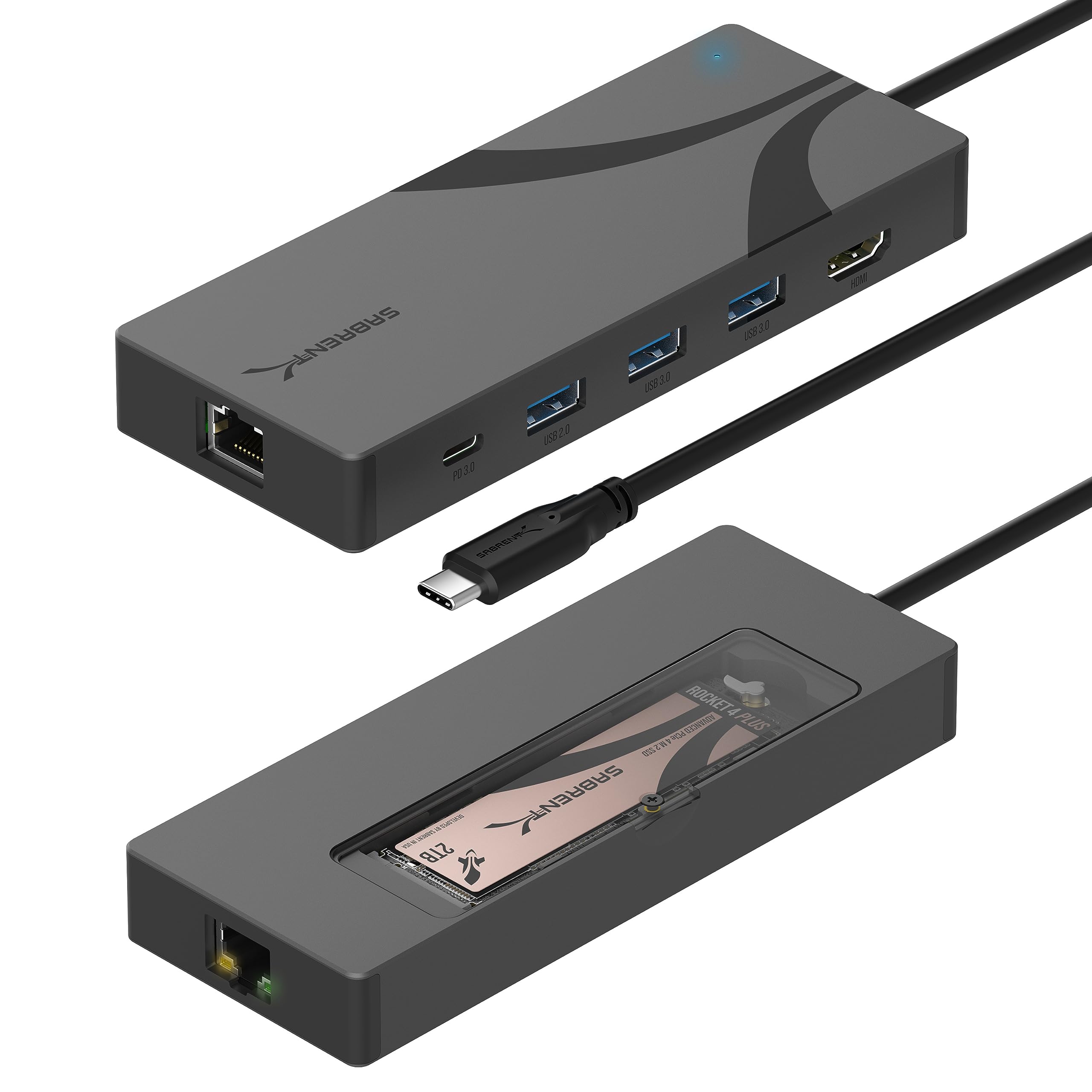
Choose the HB-6PNV if you want an integrated M.2 storage bay and wired Ethernet alongside hub ports, and are comfortable supplying your own compatible drive.
The HB-TC5P is the simpler, lighter choice when those additions are unnecessary and a compact adapter is the priority.
- The HB-6PNV adds a built-in M.2 NVMe or SATA drive enclosure for 2242, 2260, or 2280 drives, plus Gigabit Ethernet and two 5Gbps USB-A ports.
- Its HDMI output supports one display up to 4K at 60Hz, and its pass-through charging supports up to 90W.
- The HB-TC5P has one 5Gbps USB-A port, two USB 2.0 ports, one HDMI output, and up to 100W USB-C pass-through input.
USB Hubs alternative
188,000+ ratings
Read Amazon ReviewsSABRENT HB-TG5P 5-in-1 USB-C Hub
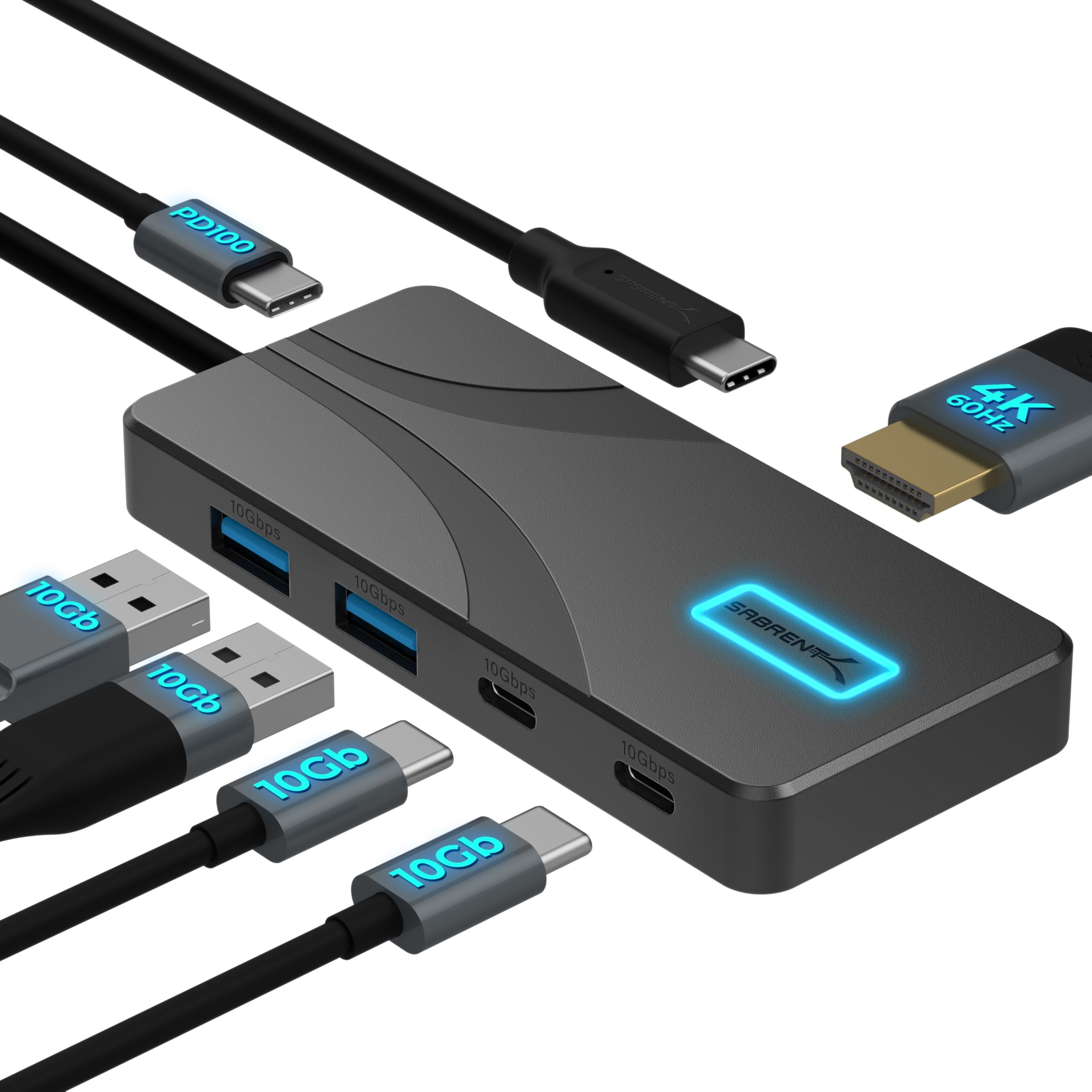
The HB-TG5P better suits buyers who need several faster USB data connections, including USB-C data ports.
The HB-TC5P offers an additional USB-A connection and a higher stated pass-through input ceiling, making it a better fit for a simple USB-A focused setup.
- The HB-TG5P has two USB-A and two USB-C data ports rated at 10Gbps, alongside one HDMI output for a single display.
- It accepts up to 100W at its power input and passes up to 80W to the laptop.
- The HB-TC5P provides three USB-A ports, with one rated at 5Gbps and two at 480Mbps, plus one HDMI output and up to 100W power input.
Is SABRENT HB-TC5P Worth It?
The SABRENT HB-TC5P USB-C Hub is worth considering as a compact everyday adapter for one HDMI display, three USB-A peripherals, and USB-C pass-through charging.
Its port mix and low carry weight make sense for a laptop bag or a tidy desk setup.
Buy it if your host supports DisplayPort Alt Mode and your devices fit the split USB speeds.
Skip it for a dual-display arrangement, multiple fast storage drives, or a setup that needs data or video through the hub's USB-C port.
Your review at a glance
188,000+ ratings
Read Amazon ReviewsSABRENT HB-TC5P USB-C Hub
A compact option for laptop users who need one external HDMI display, three USB-A connections, and USB-C pass-through charging.
- Five connections from one USB-C host connection: one HDMI output, three USB-A ports, and one USB-C Power Delivery input.
- HDMI 2.0 supports a single external monitor, television, or projector at up to 4K resolution and 60Hz.
- USB-A speeds are split between one 5Gbps USB 3.0 port and two USB 2.0 ports rated at 480Mbps.
- The USB-C port is a power input for pass-through charging, supporting up to 100W input; the hub itself draws up to about 15W.