The best memory card reader depends on which card formats you use and whether you connect to a USB-A computer, a USB-C device, or both. These picks cover everyday SD and microSD transfers, UHS-II workflows, broad format support, and on-device playback, so you can match the reader to your equipment.
Quick Top Products
SABRENT USB-C & USB-A Card Reader (CR-BCA2)
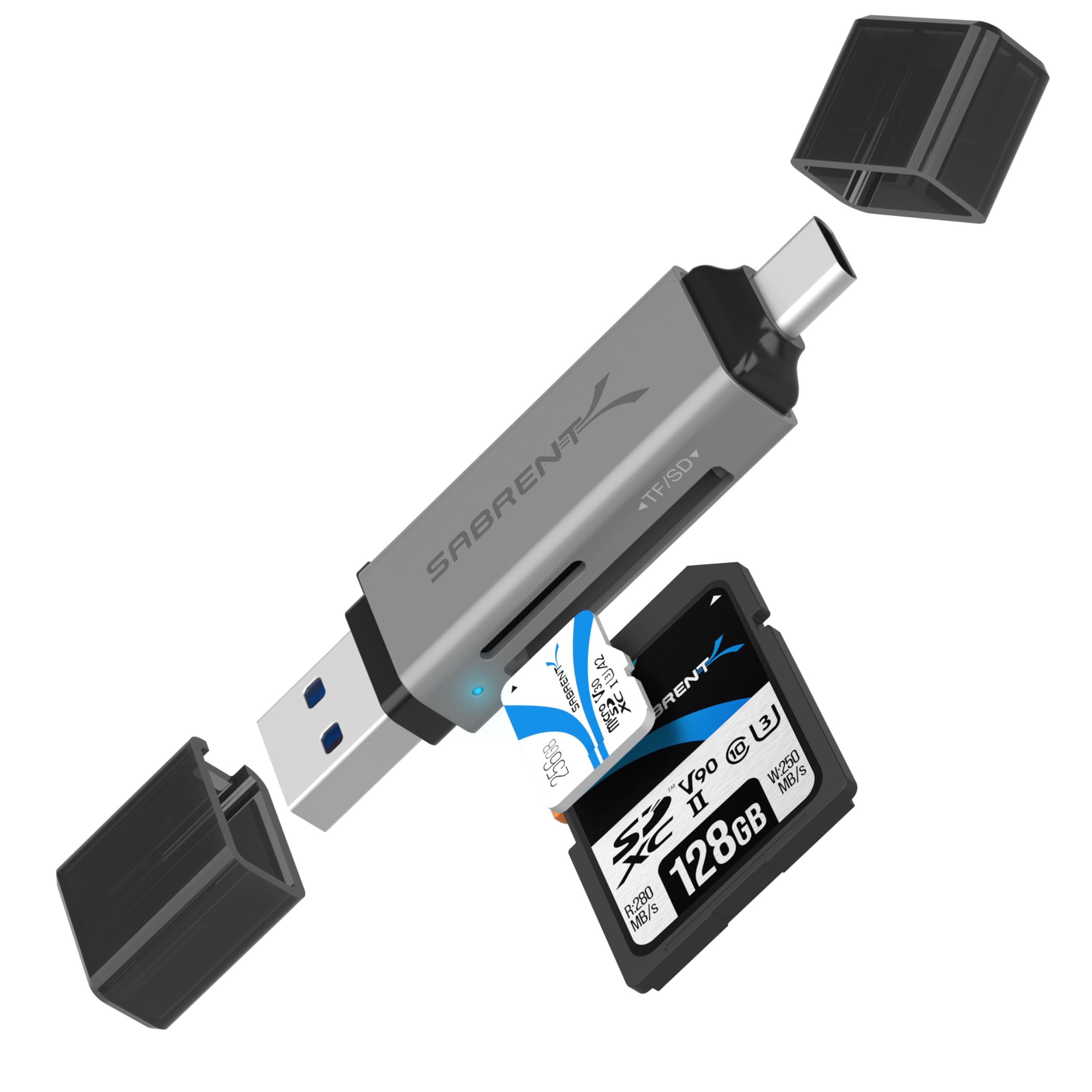
- USB-C and USB-A connectors support a wider range of host devices.
- Reads SD and microSD formats, including SDXC and microSDXC.
- USB 3.0 supports up to 5Gbps; plug and play design includes an activity LED.
Best For: People who move files between newer USB-C devices and USB-A computers.

SABRENT USB-C UHS-II Card Reader (CR-CSDM)
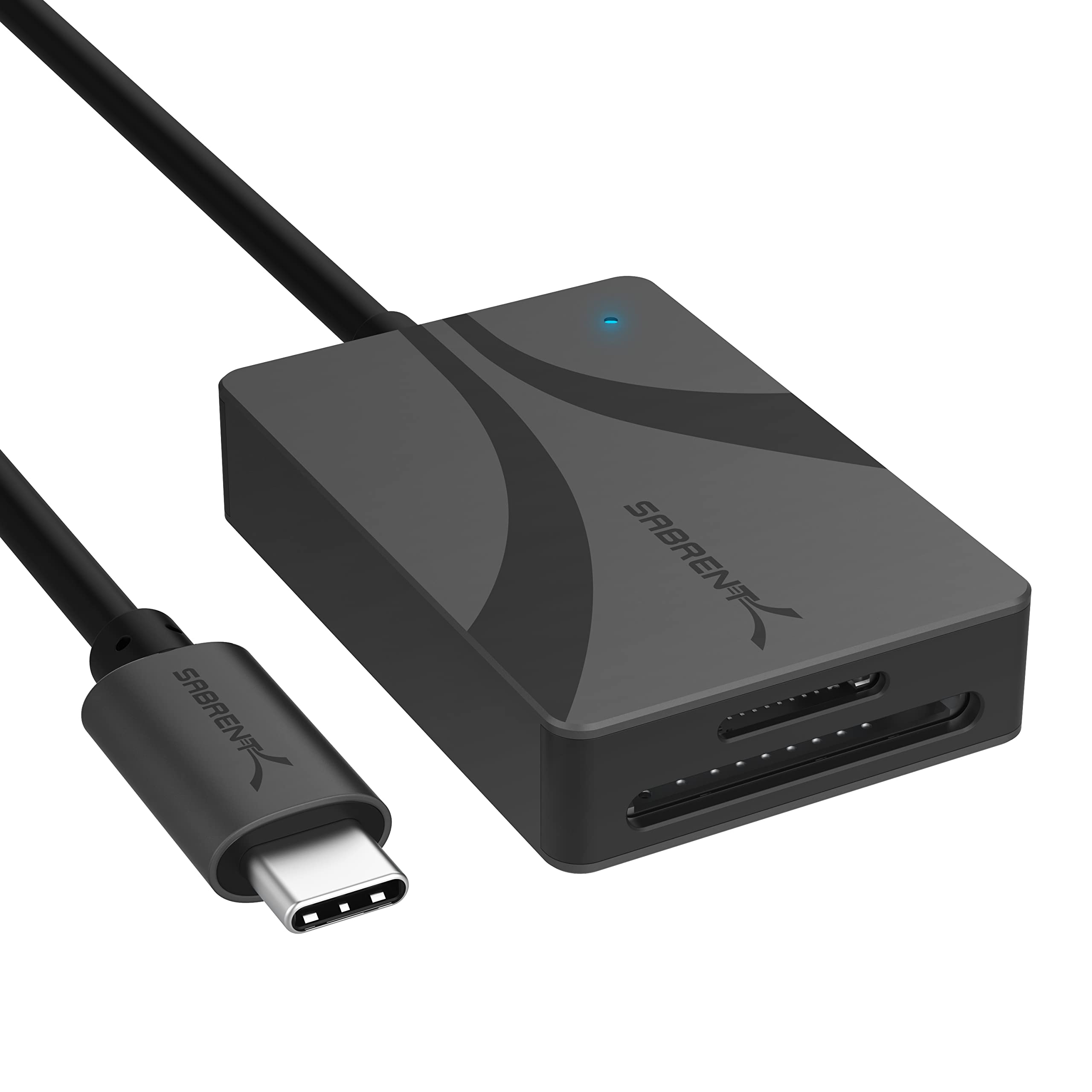
- Supports UHS-II SD and microSD cards with speeds up to 312MBps.
- Transfers through both slots simultaneously.
- Integrated six-inch USB-C cable and bus-powered operation.
Best For: USB-C users who transfer large files from UHS-II SD or microSD cards.
SMALLRIG SD/TF USB 4.0 Reader (4870)
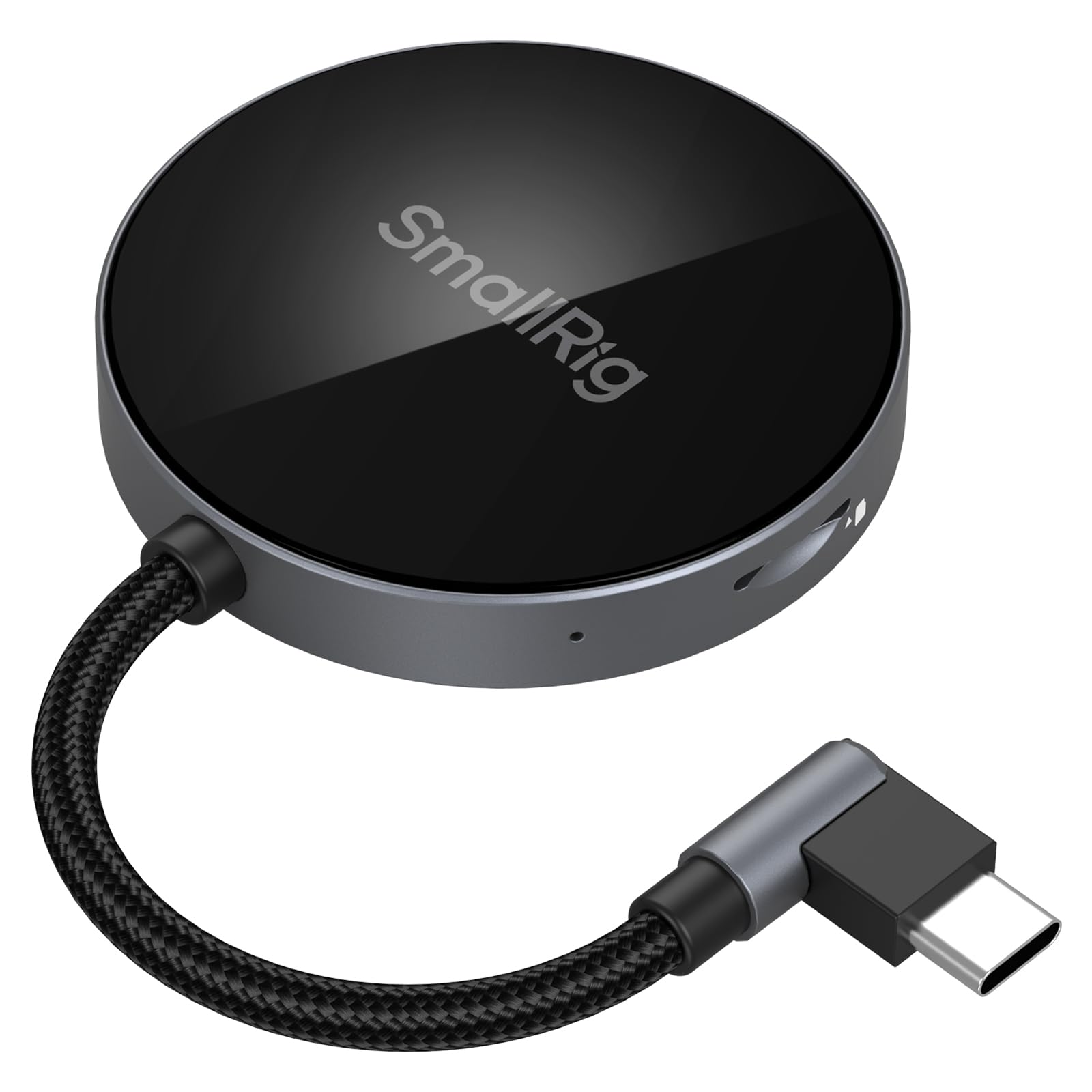
- Two slots support SD and TF/microSD formats.
- Angled USB-C connector and built-in magnet support a phone-centered setup.
- Listed compatibility spans computers, phones, tablets, and several operating systems.
Best For: USB-C phone and tablet users who want an angled dual-slot reader for SD and TF cards.
SABRENT USB 3.0 SD & microSD Reader (CR-BYMS)
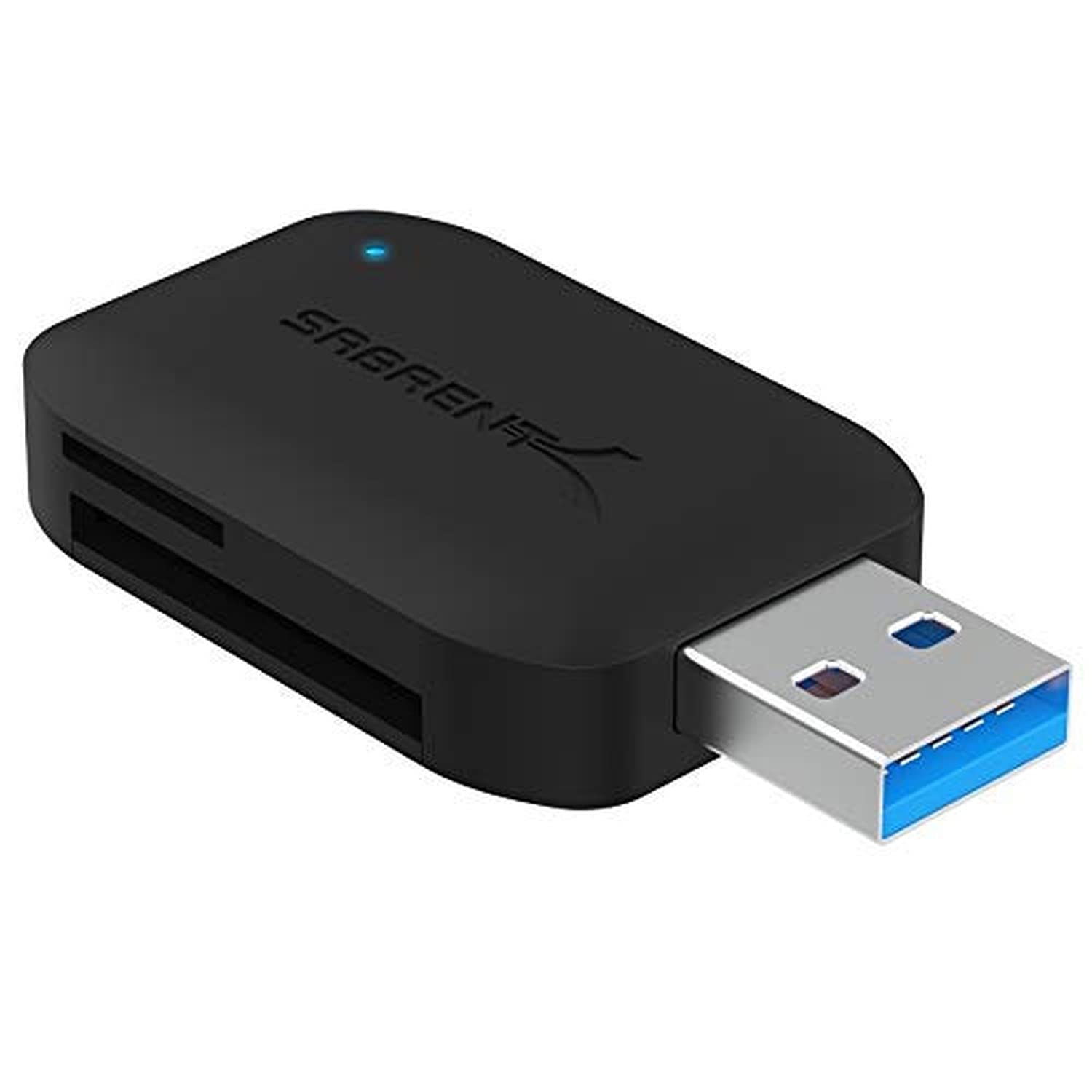
- Reads SD and microSD cards, including UHS-I formats.
- Supports simultaneous reading from two cards.
- USB 3.0 connection with LED activity indicator and backward compatibility.
Best For: People who want a compact reader for commonly used SD and microSD cards.
SABRENT SuperSpeed 2-Slot Reader (CR-UMSS)
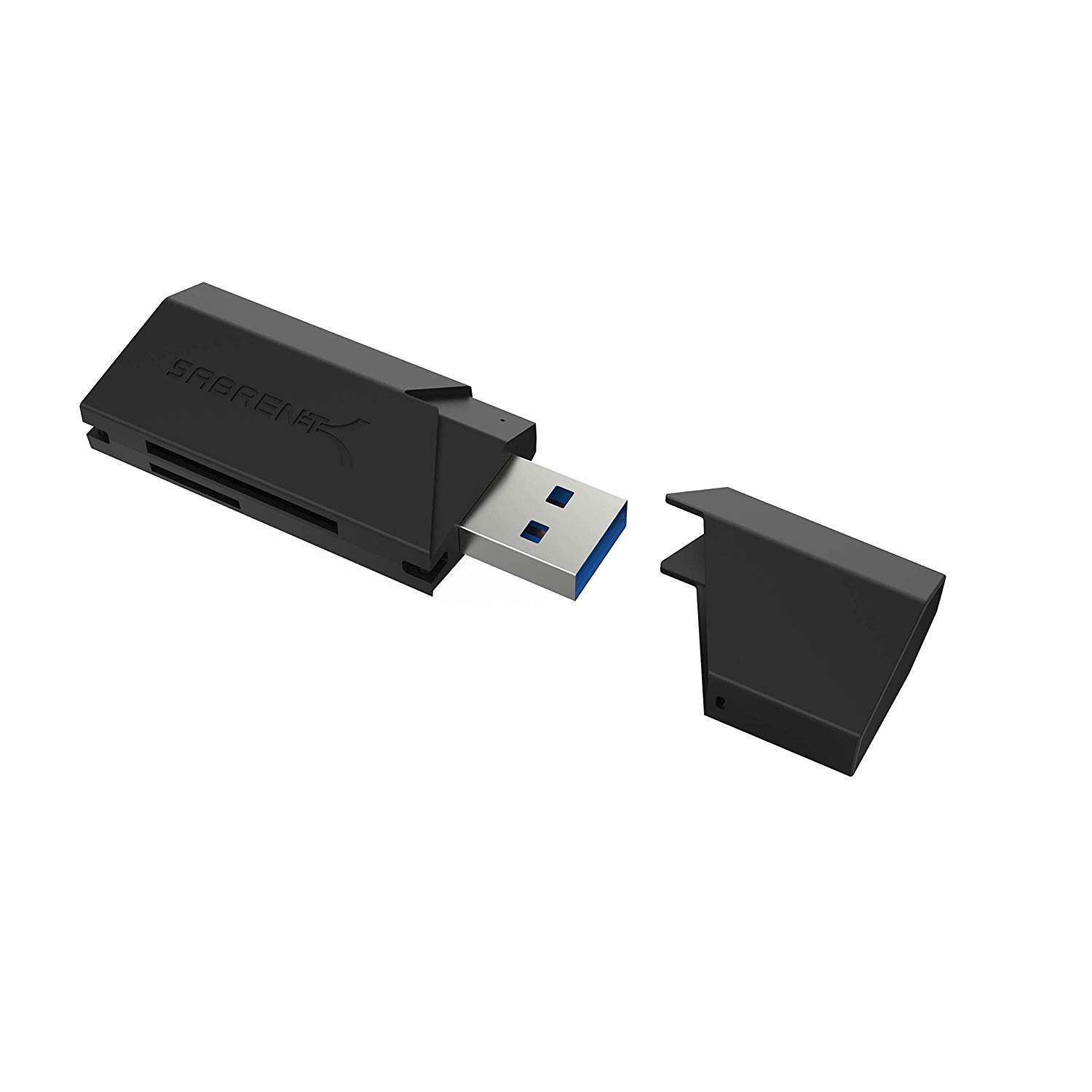
- Supports SD, SDHC, SDXC, MMC, microSD, and T-Flash.
- USB 3.0 interface is backward compatible with USB 2.0 hosts.
- Bus powered and plug and play.
Best For: USB-A users who need a basic reader for SD, microSD, and MMC cards.
SABRENT 75-in-1 Multi-Format Reader (CRW-UINB)
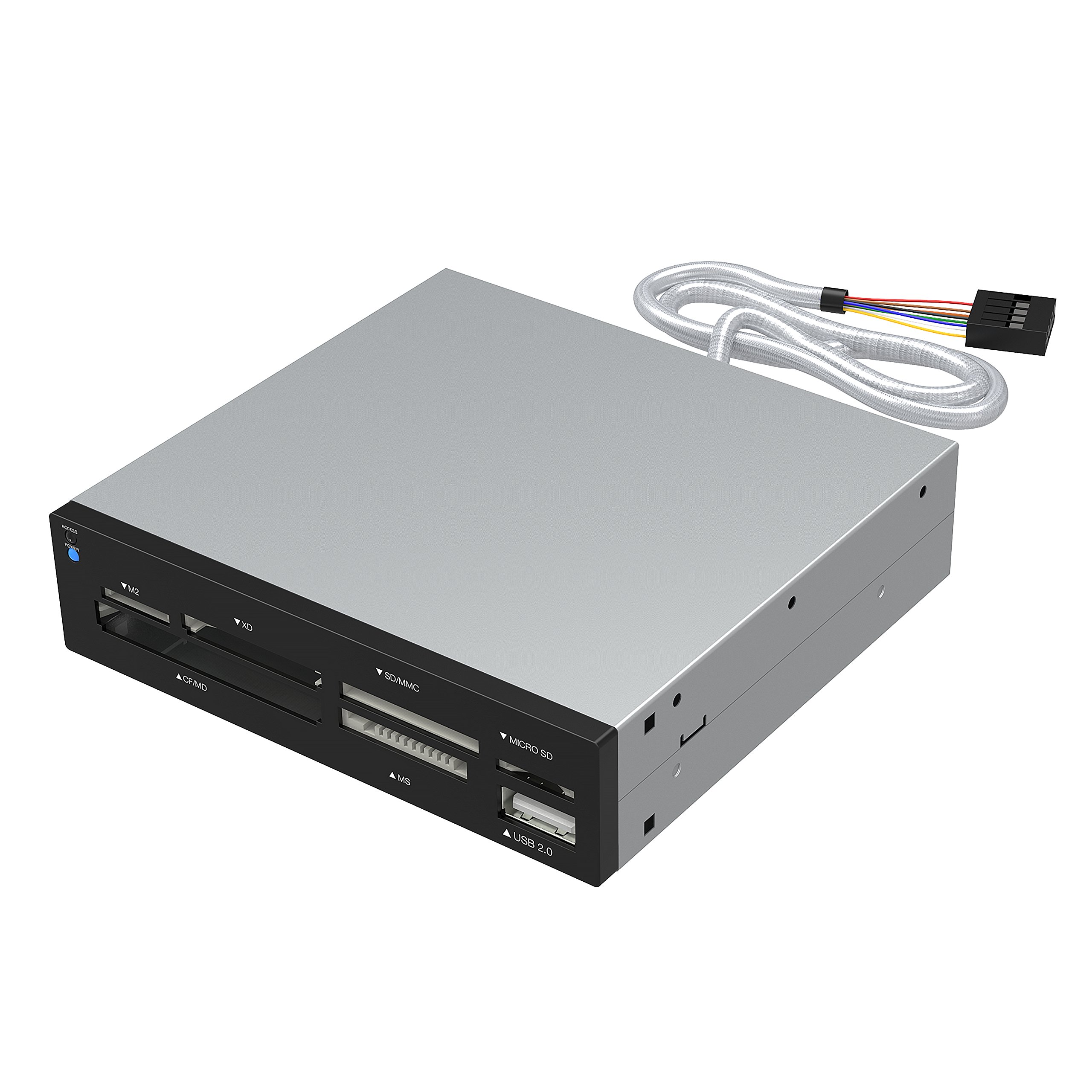
- Six slots cover a wide range of card families, including CompactFlash, XD, and Memory Stick.
- Includes an additional USB 2.0 port.
- Internal power connector supports the USB hub function.
Best For: Users who need one desktop reader for a wide mix of older and current card formats.
Muddy CRV3 HD SD Card Viewer
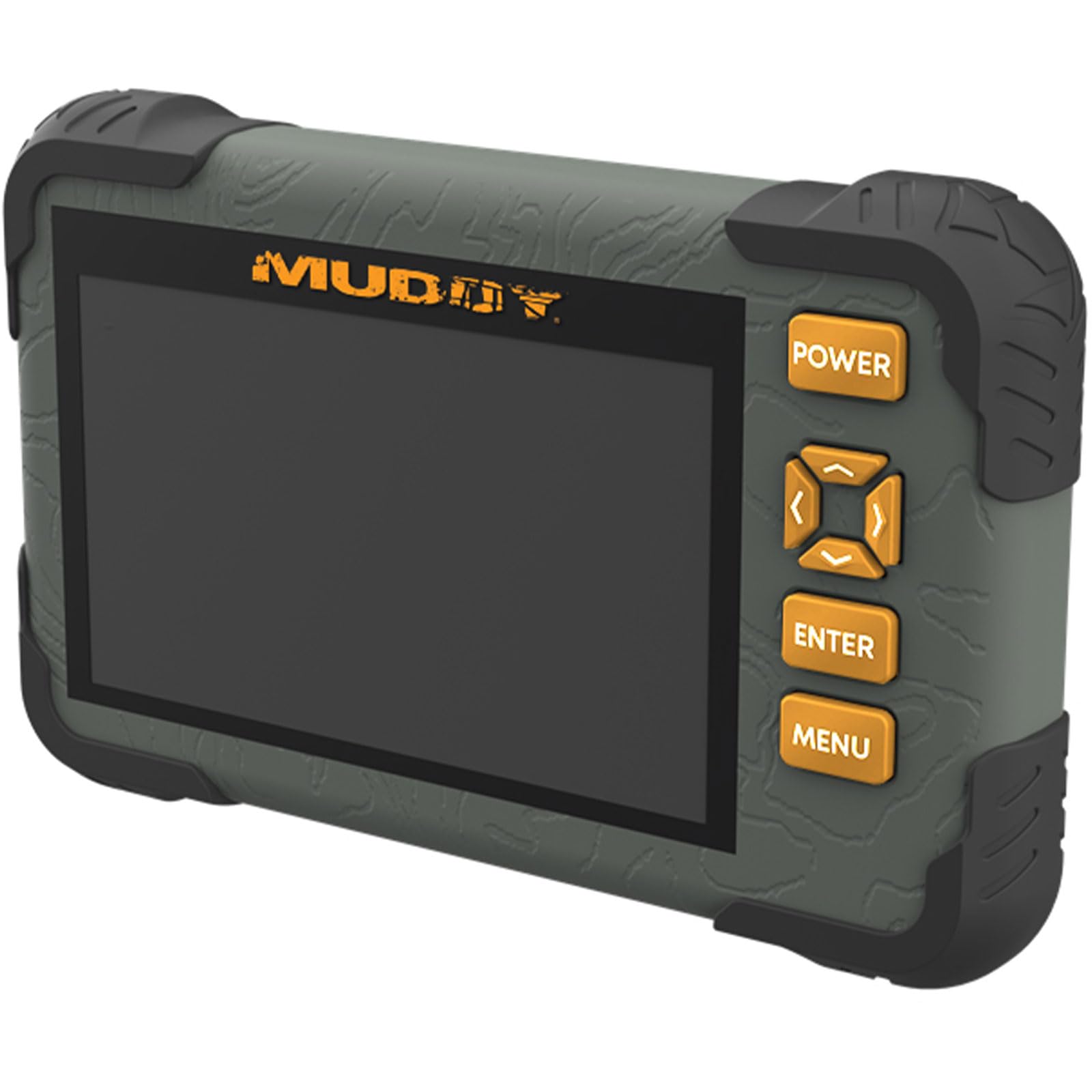
- Built-in 4.3-inch color LCD for viewing media.
- Supports 1080p video playback and has a headphone jack.
- SD card slot supports cards up to 32GB.
Best For: Outdoor users who want to review SD card photos and videos on a built-in screen.
Dual USB-C and USB-A Flexibility
SABRENT SD Card Reader USB C & USB A, Micro SD Card Reader, USB 3.0 Dual Slot Memory Card Adapter for Laptop PC Android (CR-BCA2)
This compact reader has both USB-C and USB-A connectors, making it useful when your camera, phone, and computer do not share the same port. Its two slots support SD and microSD cards, including SDXC and microSDXC, and the USB 3.0 connection supports transfers up to 5Gbps.
It is plug and play on Windows, macOS, and compatible Android devices. An LED indicates activity, and the small form is easy to carry in a camera bag or laptop pouch.
Check that your device supports the reader's connection and card format before transferring files.
Best For: People who move files between newer USB-C devices and USB-A computers.
| Pros | Cons |
|---|---|
|
|
Choose this model if you regularly switch between USB-C and USB-A equipment and mainly use SD or microSD cards. Its connector flexibility is the clearest advantage over single-port readers, while the card-format range is more focused than multi-format desktop options.
Confirm the Android device is compatible if you plan to connect a phone or tablet. For UHS-II cards, compare it with readers that explicitly identify UHS-II support.
UHS-II Speed for SD and microSD
SABRENT USB Type-C Card Reader, Dual-Slot UHS-II SDXC and microSDXC SD 4.0 (CR-CSDM)
The CR-CSDM pairs standard SD and microSD slots with support for UHS-II cards and transfer speeds up to 312MBps. It can transfer content through both slots simultaneously, which is useful when working with two cards.
A six-inch integrated USB-C cable gives it a little reach without needing a separate cable, and the unit is bus powered with an LED power indicator. It supports Windows 8+ and macOS 12+.
Older SD cards are supported, though their own speed limits apply. Check your computer's operating system and USB-C port before choosing it.
Best For: USB-C users who transfer large files from UHS-II SD or microSD cards.
| Pros | Cons |
|---|---|
|
|
This is the focused choice for a USB-C workflow built around UHS-II cards. Its stated maximum is higher than the USB 3.0 readers in this group, but the card and host must also support the faster standard to benefit.
The integrated cable avoids carrying a separate lead, while the six-inch length may affect placement on a crowded desk. Check both the computer's port and operating system, especially if you use Linux or Android.
Angled USB-C Reader with Phone Magnet
SMALLRIG SD/TF Dual-Slot Card Reader USB 4.0 312MB/s - 4870
The SMALLRIG 4870 is a two-slot USB-C reader for SD and TF, also called microSD, cards. Its angled connector is designed to simplify wiring, and a built-in magnet attaches to compatible phone backs for hands-free use.
The record lists compatibility with selected iPhone 15–17, Samsung, Huawei, and other devices, along with Windows, Mac, Linux, Android, and HarmonyOS. The listed transfer rate is up to 312MB/s.
Android transfers may require allowing the file manager to keep running in the background. Verify your phone model and magnetic attachment setup before buying.
Best For: USB-C phone and tablet users who want an angled dual-slot reader for SD and TF cards.
| Pros | Cons |
|---|---|
|
|
Pick this reader if you want to transfer SD or microSD files directly with a compatible USB-C phone or tablet and value its magnetic attachment. It has a more specialized phone-oriented design than a plain compact dongle.
Verify the exact model compatibility, since the supported-device list names particular phone and tablet families. For Android, check background-process settings so the file manager can remain active during transfers.
Compact Simultaneous SD and microSD Access
SABRENT USB 3.0 Micro SD and SD Card Reader (CR-BYMS)
The CR-BYMS is a simple two-slot reader for SD and microSD cards, including SDHC, SDXC, microSDHC, microSDXC, and UHS-I. It supports reading two cards simultaneously and has an LED for power and activity.
Its USB 3.0 connection supports data rates up to 5Gbps and works with USB 2.0 and 1.1 hosts, with the older connection limiting throughput. The included unit is a compact way to move files from common camera and mobile-device cards.
Check the host connector and operating system compatibility before purchase, particularly for newer computers.
Best For: People who want a compact reader for commonly used SD and microSD cards.
| Pros | Cons |
|---|---|
|
|
This is a straightforward option when your cards are SD or microSD and dual-slot access matters. It does not offer the USB-C and USB-A connector flexibility of the CR-BCA2, so check its physical connection before ordering.
The up-to-5Gbps figure refers to the USB interface; card and host capabilities affect real transfers. Its backward compatibility is useful with older USB ports, though those connections will constrain speed.
Simple USB-A Reader for Common Cards
SABRENT SuperSpeed 2 Slot USB 3.0 Flash Memory Card Reader for Windows, Mac, Linux, and Certain Android Systems Supports SD, SDHC, SDXC, MMC/MicroSD, T Flash [Black] (CR-UMSS)
The CR-UMSS is a USB 3.0 reader that supports SD, SDHC, SDXC, MMC, microSD, and T-Flash. It draws power from the USB port, so it does not need a separate power supply, and plug-and-play operation avoids a driver installation.
USB 2.0 hosts are supported as well, with the host connection setting the practical transfer ceiling. Its two-slot design makes it a compact fit for everyday card transfers.
Check that your computer or adapter provides the required USB connection and that your card format appears in the supported list.
Best For: USB-A users who need a basic reader for SD, microSD, and MMC cards.
| Pros | Cons |
|---|---|
|
|
Choose the CR-UMSS if you use a USB-A host and want a low-fuss reader for common SD, microSD, and MMC cards. Its key practical strengths are bus-powered operation and a simple plug-and-play setup.
It is less flexible for newer USB-C-only devices than the dual-connector Sabrent option. Confirm you have a suitable port or adapter, and match the card's format to its supported list.
Broad Legacy Card Format Coverage
SABRENT 75 in 1 Multi Flash Media Card Reader/Writer(with Power Cord) (CRW-UINB)
The CRW-UINB has six reader slots that support a broad set of card families, including SD, SDHC, SDXC, MMC, microSD, CompactFlash, Memory Stick, M2, and XD. Some cards may need an adapter.
It also includes a USB 2.0 port and an internal power connector intended to provide sufficient power for external USB devices. The reader supports older Windows versions, Linux, and Mac OS X.
This is a desktop-oriented option for mixed media collections rather than a minimal travel reader. Check your exact legacy card type and whether an adapter is needed.
Best For: Users who need one desktop reader for a wide mix of older and current card formats.
| Pros | Cons |
|---|---|
|
|
Select this reader when format coverage is more important than a modern, travel-friendly connection. Its slots accommodate multiple legacy card families that the compact SD/microSD readers do not list.
The tradeoff is USB 2.0 and a desktop-style setup with an internal power connector for the hub. Confirm the exact card format and adapter needs before buying, particularly for less common media.
On-Device SD Photo and Video Viewing
Muddy CRV3 HD SD Card Viewer - Durable Water-Resistant Hunting Outdoor SD Card Reader/Viewer with 4.3" LCD Screen & Headphone Jack for Audio - Supports up to 32GB
Unlike a computer-focused adapter, the Muddy CRV3 HD is a standalone SD card viewer with a 4.3-inch color LCD. It supports 1080p video playback, has a headphone jack for audio, and uses an intuitive menu.
The SD slot supports cards up to 32GB, so it is aimed at viewing compatible media directly on the device rather than reading a broad range of card types on a computer. The product title identifies it as water resistant for outdoor use.
Check the card capacity and file needs before choosing it for field review.
Best For: Outdoor users who want to review SD card photos and videos on a built-in screen.
| Pros | Cons |
|---|---|
|
|
Choose the Muddy viewer if your main task is checking compatible SD-card footage in the field. Its built-in screen and headphone jack make it more self-contained than a basic card adapter.
The 32GB capacity limit is the key purchase check, along with whether your media files fit its playback support. For transferring a wider range of cards to a laptop, a conventional multi-slot reader is a better match.
How to Choose Memory Card Readers
How We Picked Memory Card Readers
This roundup focuses on readers that directly address common file-transfer needs: SD and microSD access, USB-C or USB-A connections, faster-card support, legacy formats, and field viewing. The selected options range from compact two-slot adapters to a six-slot multi-format unit and a standalone LCD viewer.
Each choice has a clear use case tied to its supported cards or connection style.
Connection and card support matter together. A reader that supports SDXC is useful only if the host connection and card speed suit the job.
We also favored distinct designs and avoided including both external and internal versions of the same multi-format reader.
Comparing Memory Card Readers by Format and Connection
For routine camera and phone transfers, the CR-BCA2 offers USB-C and USB-A connectors, while the CR-BYMS and CR-UMSS provide focused SD and microSD coverage. The CR-BCA2 explicitly lists SDXC and microSDXC; the CR-BYMS adds UHS-I support and simultaneous reading.
The CR-UMSS covers MMC and T-Flash as well.
For faster cards, the Sabrent CR-CSDM and SMALLRIG 4870 both list up to 312MB per second. The Sabrent names UHS-II support and an integrated USB-C cable.
SMALLRIG focuses on phone use with its angled USB-C connector and magnetic attachment. Actual transfers depend on the card and host as well as the reader.
| Product | Standout features | Best for |
|---|---|---|
| SABRENT USB-C & USB-A Card Reader (CR-BCA2)Check Price |
| People who move files between newer USB-C devices and USB-A computers. |
| SABRENT USB-C UHS-II Card Reader (CR-CSDM)Check Price |
| USB-C users who transfer large files from UHS-II SD or microSD cards. |
| SMALLRIG SD/TF USB 4.0 Reader (4870)Check Price |
| USB-C phone and tablet users who want an angled dual-slot reader for SD and TF cards. |
| SABRENT USB 3.0 SD & microSD Reader (CR-BYMS)Check Price |
| People who want a compact reader for commonly used SD and microSD cards. |
| SABRENT SuperSpeed 2-Slot Reader (CR-UMSS)Check Price |
| USB-A users who need a basic reader for SD, microSD, and MMC cards. |
| SABRENT 75-in-1 Multi-Format Reader (CRW-UINB)Check Price |
| Users who need one desktop reader for a wide mix of older and current card formats. |
| Muddy CRV3 HD SD Card ViewerCheck Price |
| Outdoor users who want to review SD card photos and videos on a built-in screen. |
Choosing a Reader for Older or Unusual Cards
A broad-format reader can save you from keeping several adapters if your archive includes CompactFlash, XD, Memory Stick, M2, and SD families. The CRW-UINB covers many of these in six slots, but some formats may require an adapter.
Its USB 2.0 interface makes it a better fit for format variety than for prioritizing a modern high-speed connection.
If you mainly use standard SD and microSD cards, the simpler compact readers are easier to carry and have a more focused job. Check the exact card marking, such as SDHC, SDXC, or UHS-II, against the reader's supported formats before purchasing.
Portable Transfers and Field Media Review
For phone-centered use, compare connector shape and physical attachment as well as card speed. The SMALLRIG's magnet and angled port can suit a compatible phone setup; the CR-BCA2 offers a more general USB-C and USB-A approach across hosts.
Verify the exact phone model, operating system, and adapter needs, especially if you rely on Android file transfers running in the background.
The Muddy viewer serves a different field workflow: it displays supported SD media on its own 4.3-inch screen and includes a headphone jack. Its stated 32GB card limit makes capacity an essential check.
It is a viewing device for compatible cards, whereas the other picks are principally computer or phone readers.
Who Should Buy Which Memory Card Reader
Choose the CR-BCA2 for switching between USB-C and USB-A computers, or the CR-BYMS for a compact SD and microSD reader with simultaneous access. Pick the CR-CSDM if your workflow uses UHS-II cards and a compatible USB-C computer.
The SMALLRIG fits phone users who can use its magnetic attachment and listed device support.
For legacy media collections, consider the CRW-UINB and verify any adapter requirement. The CR-UMSS is a simple USB-powered option for common formats on a compatible host.
Choose the Muddy viewer when built-in field playback matters more than broad computer compatibility, and confirm your SD card is within its 32GB capacity limit.